
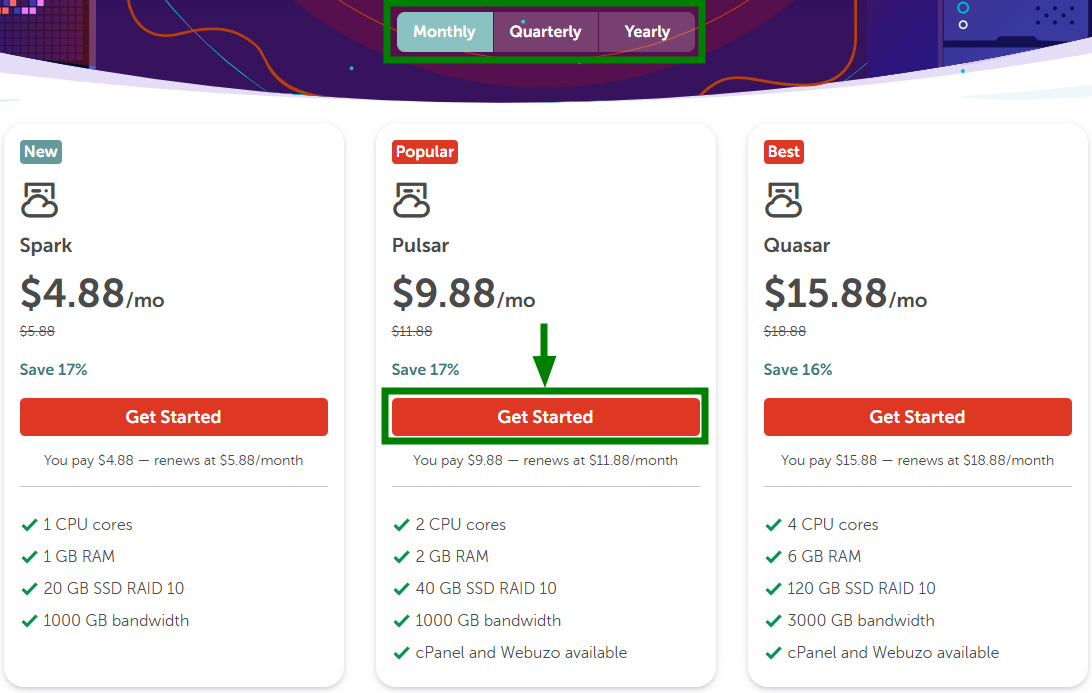
| Plan | CPU Cores | RAM | Storage | Bandwidth |
|---|---|---|---|---|
| Spark | 1 | 1 GB | 20 GB SSD | 1 TB |
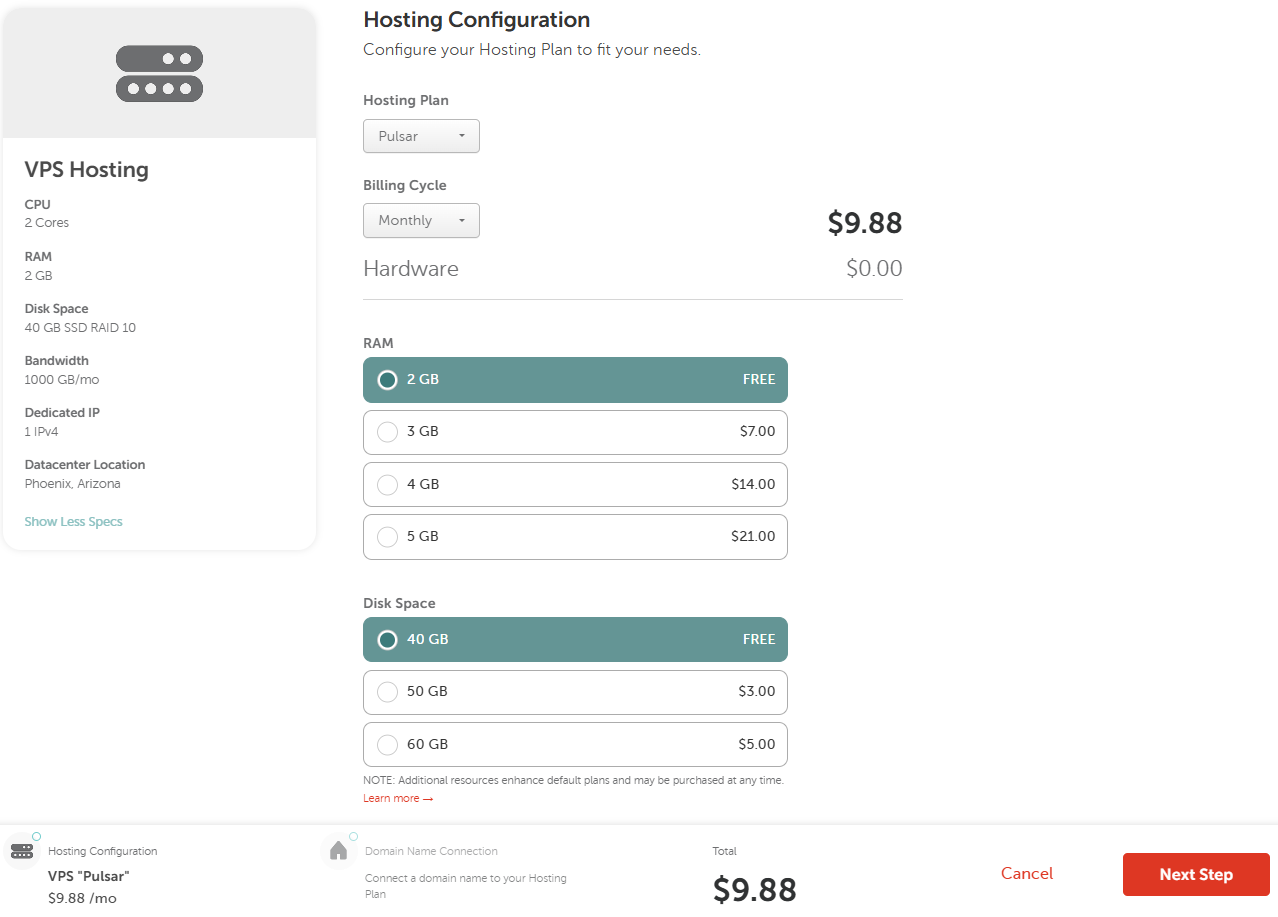
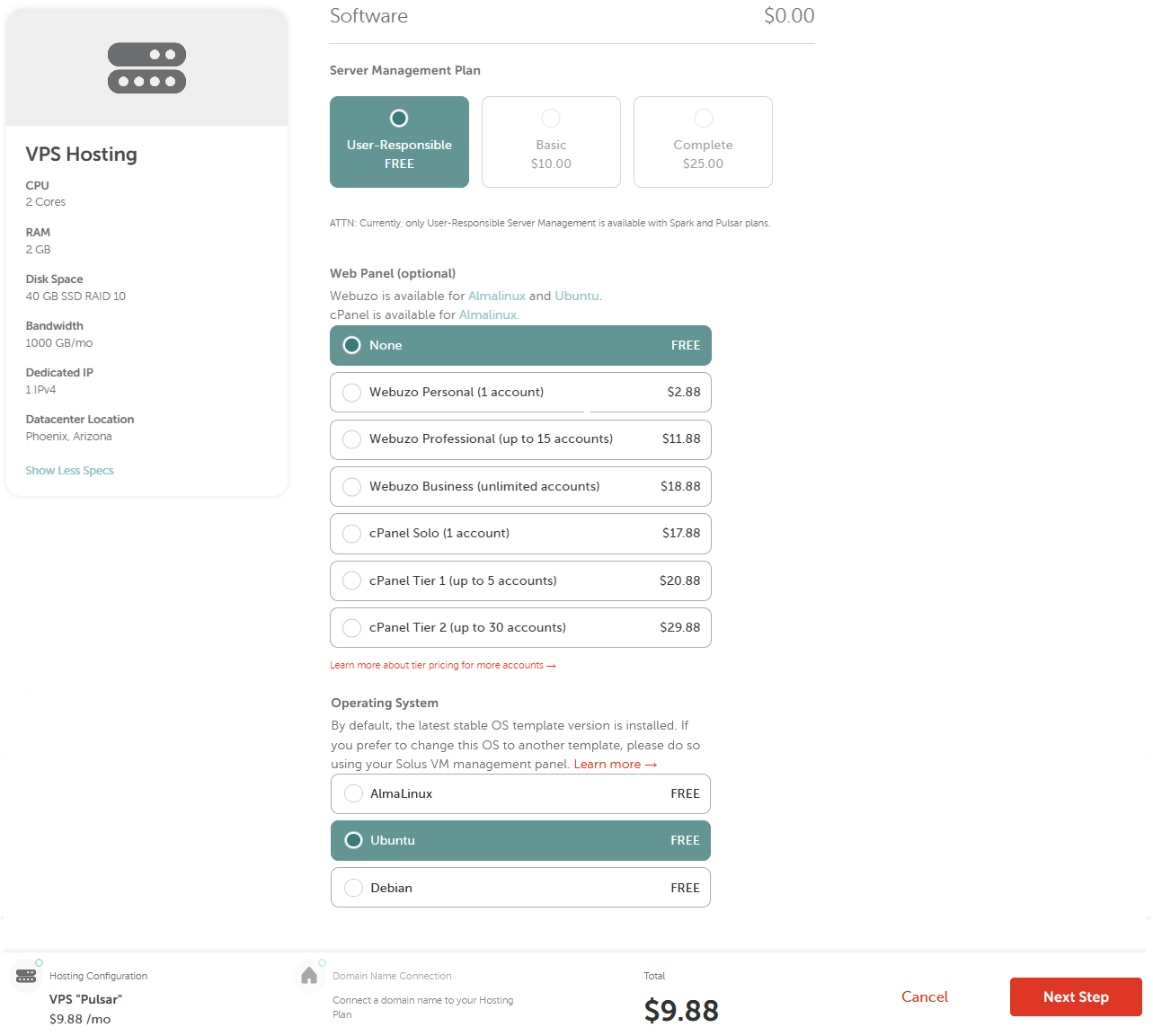
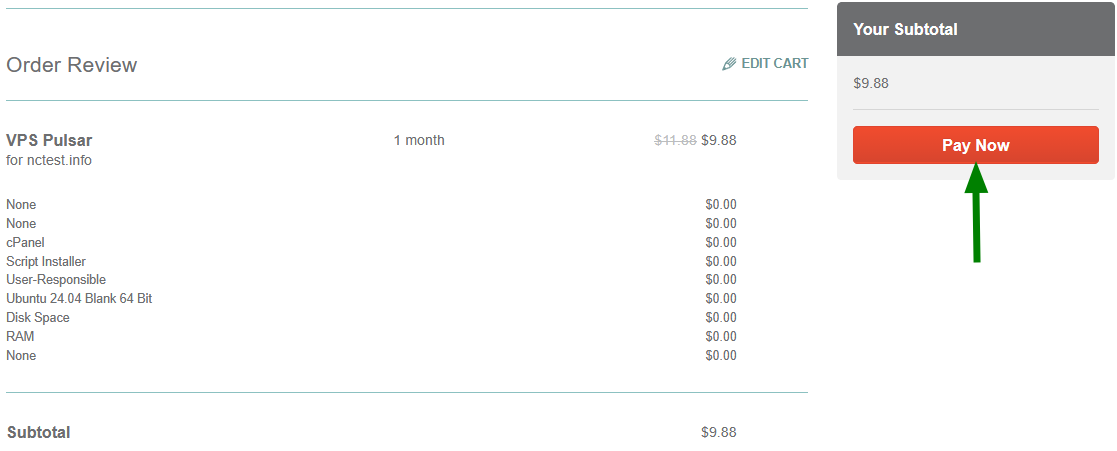
| Pulsar | 2 | 2 GB | 40 GB SSD | 1 TB |
| Quasar | 4 | 6 GB | 120 GB SSD | 3 TB |
| Magnetar | 8 | 12 GB | 240 GB SSD | 6 TB |
| Hypernova | 12 | 24 GB | 500 GB SSD | 10 TB |

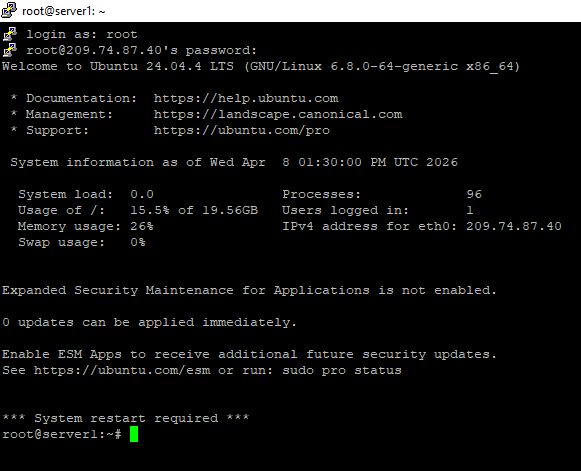
ssh root@your-server-ip -p22apt update && apt upgrade -ydnf update -y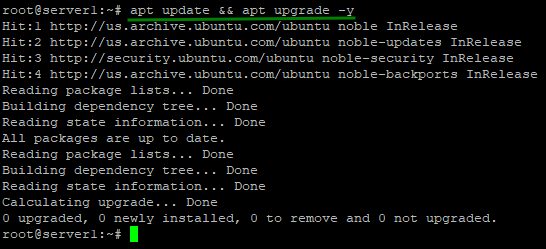
apt list --upgradableadduser newusername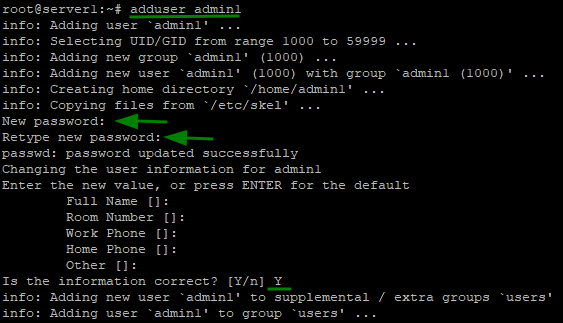
usermod -aG sudo newusernamesu - newusernamesudo apt update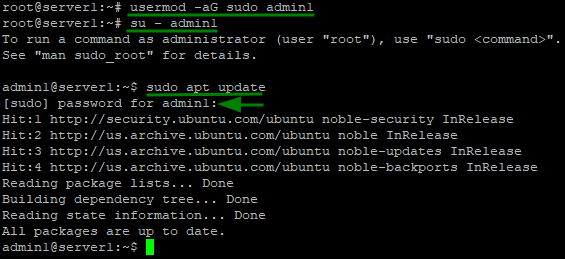
sudo nano /etc/ssh/sshd_config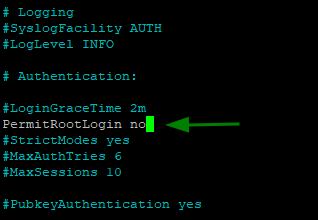
ssh-keygensystemctl restart sshsudo apt install ufw -ysudo ufw allow 22
sudo ufw allow 80
sudo ufw allow 443
sudo ufw enable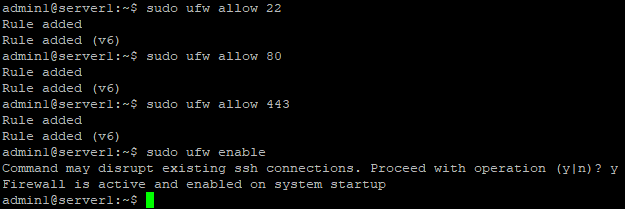
sudo ufw status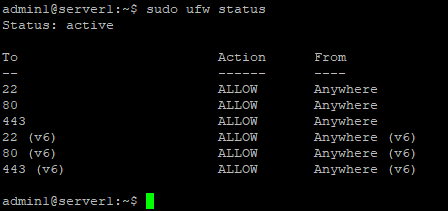
sudo systemctl start firewalld

sudo systemctl enable firewalldsudo firewall-cmd --permanent --add-service=http
sudo firewall-cmd --permanent --add-service=https
sudo firewall-cmd --permanent --add-service=ssh
sudo firewall-cmd --reloadsudo firewall-cmd --list-allsudo dnf install nginx -ysudo apt install nginx -y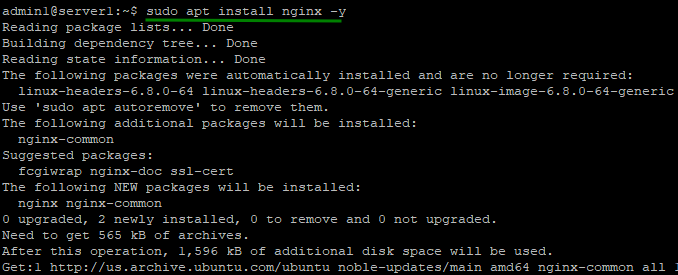
sudo systemctl status nginx
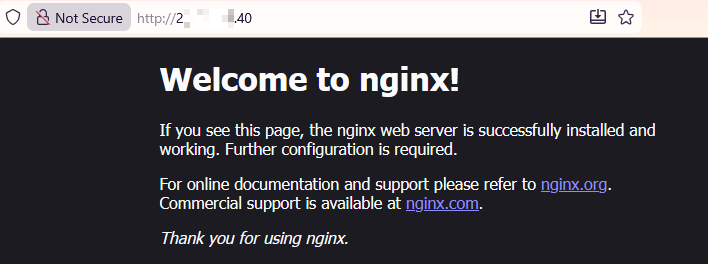
cd /var/www/html

lssudo apt install apache2 -y 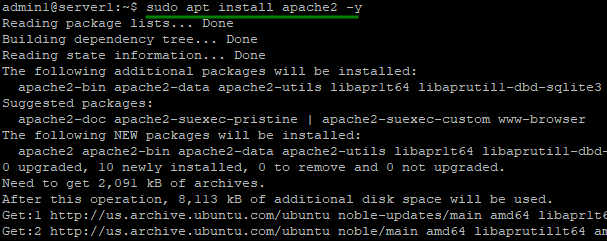
sudo systemctl start apache2

sudo systemctl enable apache2sudo systemctl status apache2
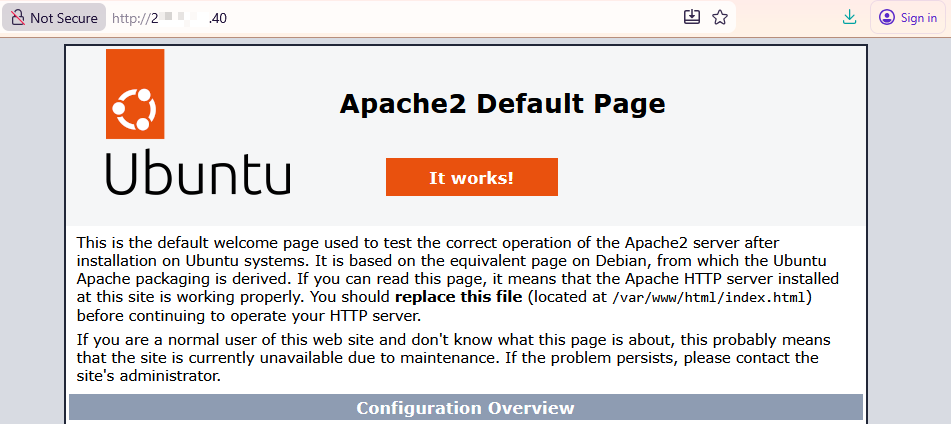
sudo dnf install httpd -y sudo systemctl start httpd
sudo systemctl enable httpdsudo firewall-cmd --permanent --add-service=http
sudo firewall-cmd --permanent --add-service=https
sudo firewall-cmd --reloadsudo apt install mysql-server -ysudo dnf install mariadb-server -y
sudo systemctl start mariadb
sudo systemctl enable mariadbsudo mysql_secure_installation| Ubuntu / Debian | AlmaLinux | |
|---|---|---|
| Nginx |
Install:sudo apt install php php-fpm php-mysql -yStart & enable: sudo systemctl start php*-fpm |
Install:sudo dnf install php php-fpm php-mysqlnd -yStart & enable: sudo systemctl start php-fpm |
| Apache |
Install:sudo apt install php libapache2-mod-php php-mysql -y |
Install:sudo dnf install php php-mysqlnd -y |
sudo systemctl restart apache2php -v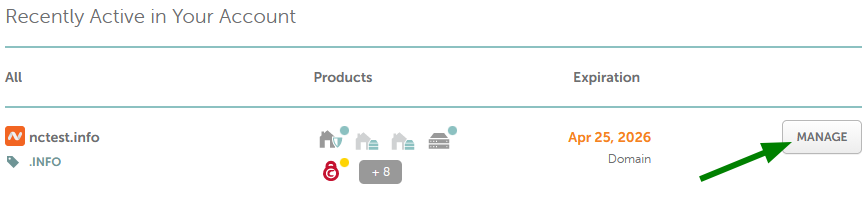
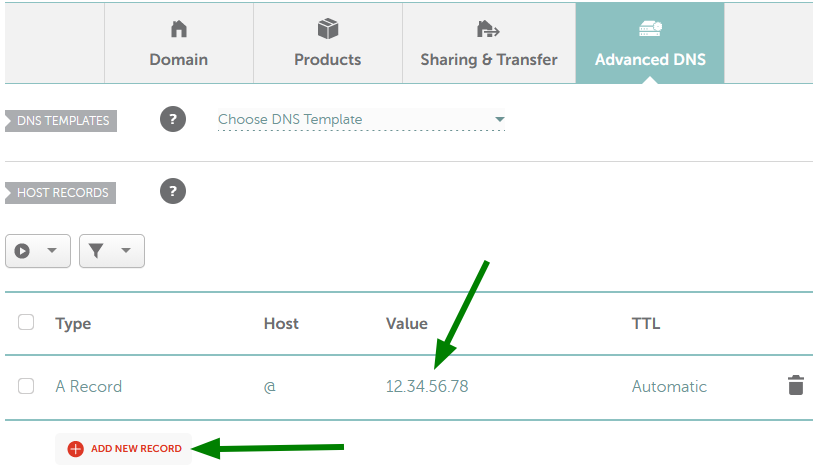
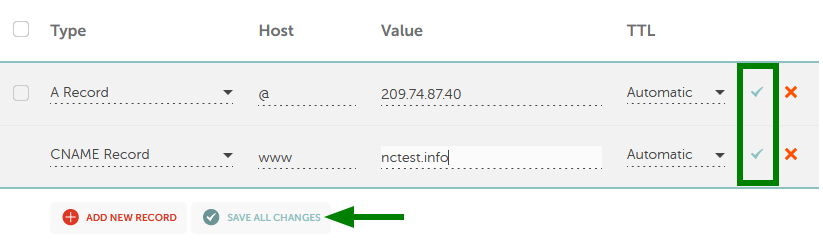
| Ubuntu / Debian | AlmaLinux |
|---|---|
sudo nano /etc/nginx/sites-available/yourdomain.tld | sudo nano /etc/nginx/conf.d/yourdomain.tld.conf |
server {
     listen 80;
     server_name yourdomain.tld www.yourdomain.tld;

     root /var/www/yourdomain;
     index index.php index.html;

     location / {
          try_files $uri $uri/ =404;
     }

}sudo ln -s /etc/nginx/sites-available/yourdomain.tld /etc/nginx/sites-enabled/
sudo nginx -t
syntax is ok

test is successfulsudo systemctl restart nginx| Ubuntu / Debian | AlmaLinux |
|---|---|
sudo nano /etc/apache2/sites-available/yourdomain.tld.conf | sudo nano /etc/httpd/conf.d/yourdomain.tld.conf |
<VirtualHost *:80>
     ServerName yourdomain.tld
     ServerAlias www.yourdomain.tld
     DocumentRoot /var/www/yourdomain

     <Directory /var/www/yourdomain>
     AllowOverride All
     Require all granted
     </Directory>
</VirtualHost>sudo a2ensite yourdomain.tld.confsudo apachectl configtestsudo systemctl reload apache2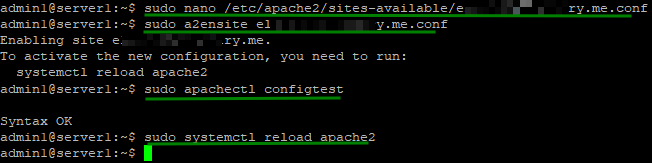
sudo apt install fail2ban -y (Ubuntu / Debian)sudo dnf install fail2ban -y (AlmaLinux)
sudo systemctl start fail2ban

sudo systemctl enable fail2bansudo tail -f /var/log/auth.log| Monitoring focus | Typical tools | What they track |
|---|---|---|
| System metrics | Netdata, Glances, htop | CPU usage, RAM usage, disk usage, network activity |
| Service uptime | Monit, Nagios, Icinga | Web server status, database availability, scheduled tasks |
| Log activity | Logwatch, OSSEC/Wazuh | SSH logs, system errors, login attempts |
| External uptime | External HTTP/S checks | Website availability from outside the server |
| Feature | Shared Hosting | VPS |
|---|---|---|
| Performance | Limited (shared resources) | High (dedicated resources) |
| Control | Low (limited configuration) | Full (root or reseller access - depending on server management) |
| Security | Shared environment | Isolated environment |
| Scalability | Limited | Flexible resource upgrades |
| Custom software | Usually restricted or limited | Fully customizable |
Need help? We're always here for you.