This article applies to the new Private Email webmail. If you're using the legacy (Open-Xchange) Private Email webmail, see
this article instead.
This tutorial guides on configuring and managing calendar synchronization with Evolution on Linux.
NOTE: Before setting up your email account this way, make sure that you already have the required DNS records and mailbox created.
In order to configure Caldav account on Linux, follow the instructions below:
1. Open your CalDav Calendar and click on Calendar button:
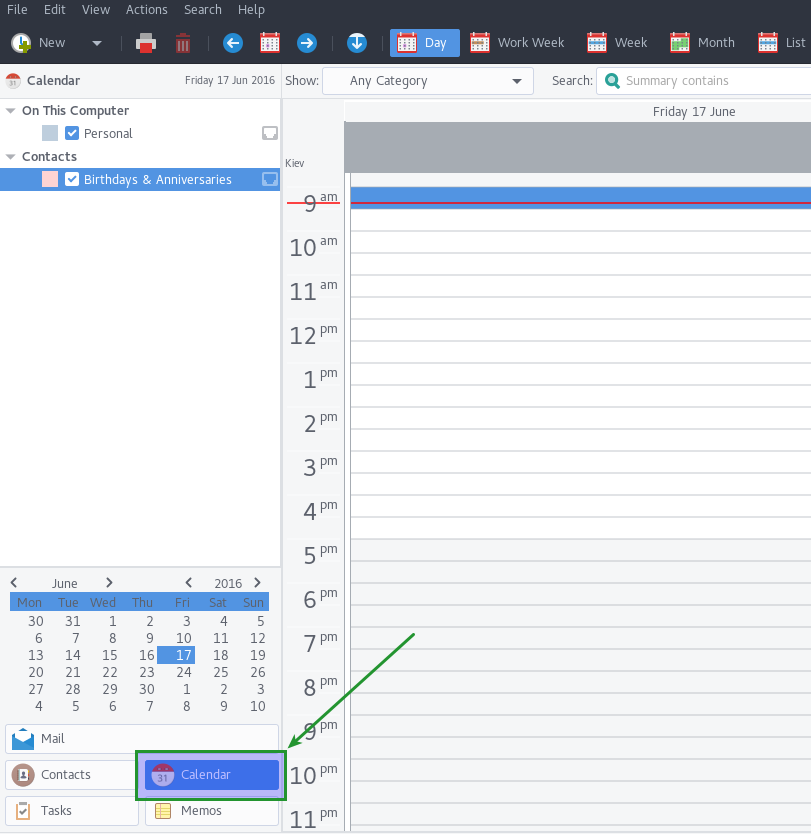
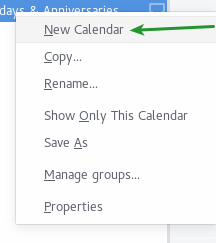
2. Then right click on the left column as indicated in the screenshot and select New Calendar option:
3. In the new window, select CalDAV, check Use a secure connection and type in email account details into the corresponding fields:
Type: CalDAV
Name: you can set name of the calendar here
URL: https://dav.privateemail.com/caldav
User: your full email address
Email: your full email address
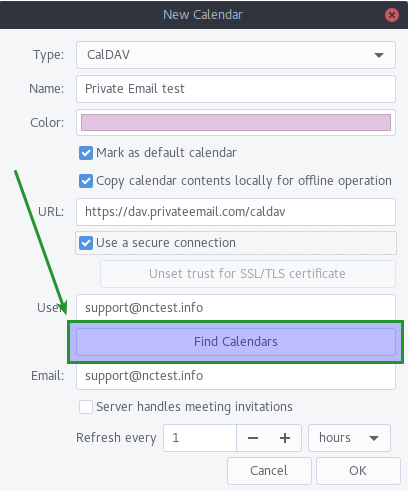
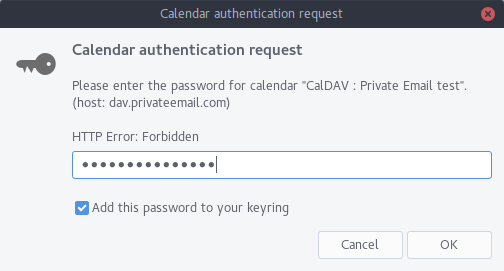
4. Click on Find Calendars and type in your email account's Application password into the new pop-up:
5. After that select calendar you would like to synchronize with and hit OK:
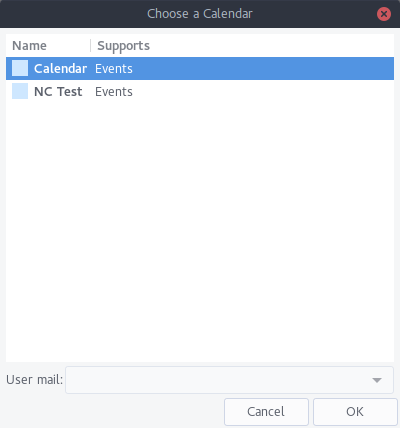
6. Check the settings and click Apply:
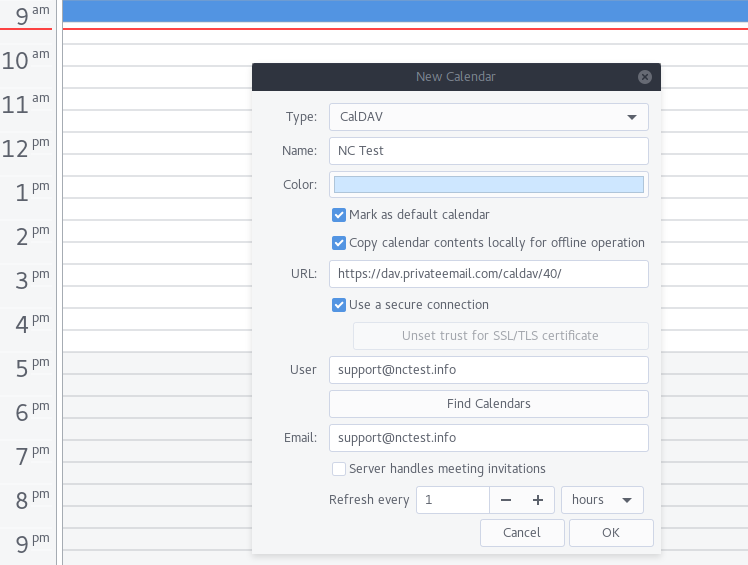
7. Now you can create an event in your calendar. To do so, click on the date with right button and choose New Meeting. You can add participants using Add button to create one:
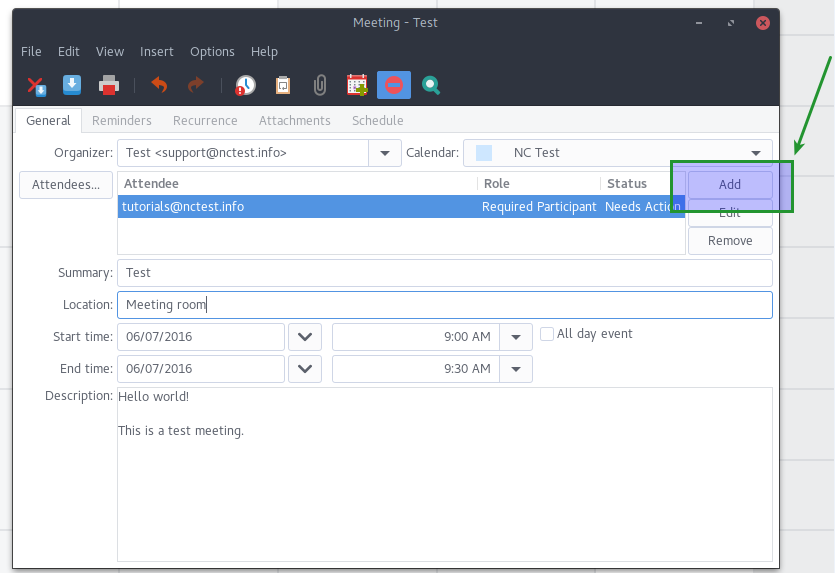
Notifications will be sent to specified recipients.
8. You can also change the following settings:
- With Organizer option you can set your event’s owner.
- In Summary field you can set topic for your event.
- Time and Description options allow you to set time when your event takes place and add a description.
- Add Attachments and other different features.
9. Once done, check participants and other settings, then hit Save button:
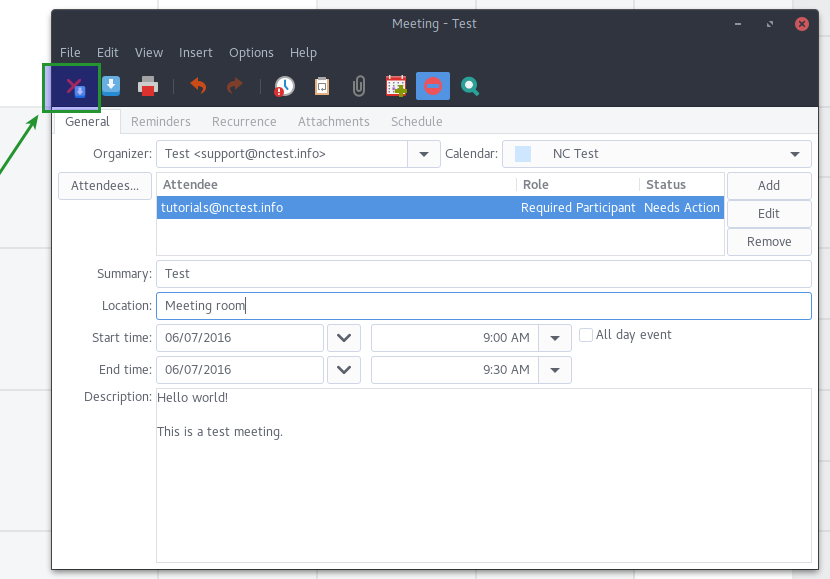
Here is the list of the supported features available for Evolution CalDav Calendar:
- Calendar via CalDav
- Email via IMAP/SMTP
- Processing of events invitations/confirmations/rejections sent by email
That's it!
