This article applies to the new Private Email webmail. If you're using the legacy (Open-Xchange) Private Email webmail, see
this article instead.
The following article provides step-by-step instructions on how to configure a CalDAV account on an iPhone device.
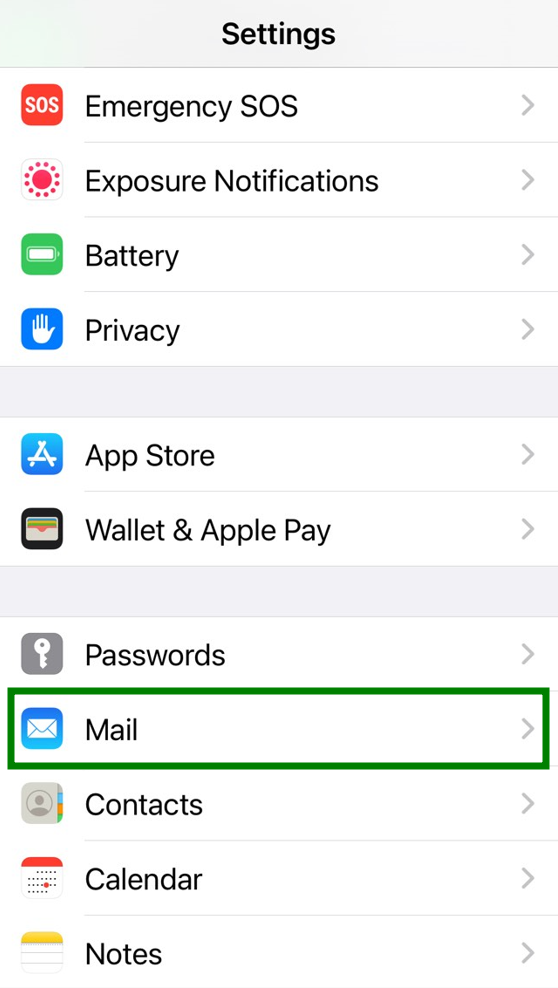
1. Open Settings >> Mail menu:
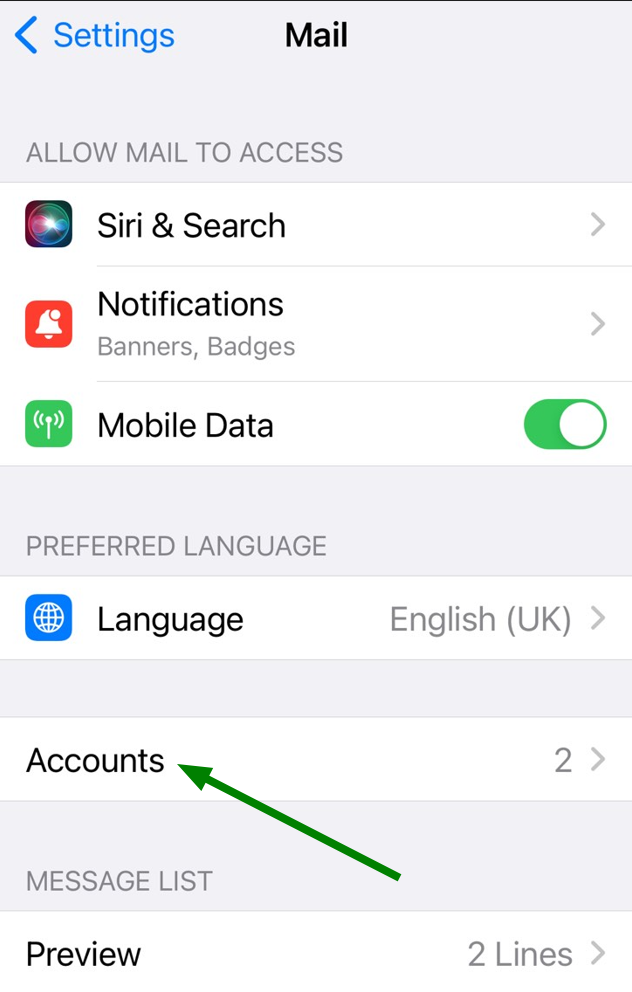
2. Then tap on Accounts menu:
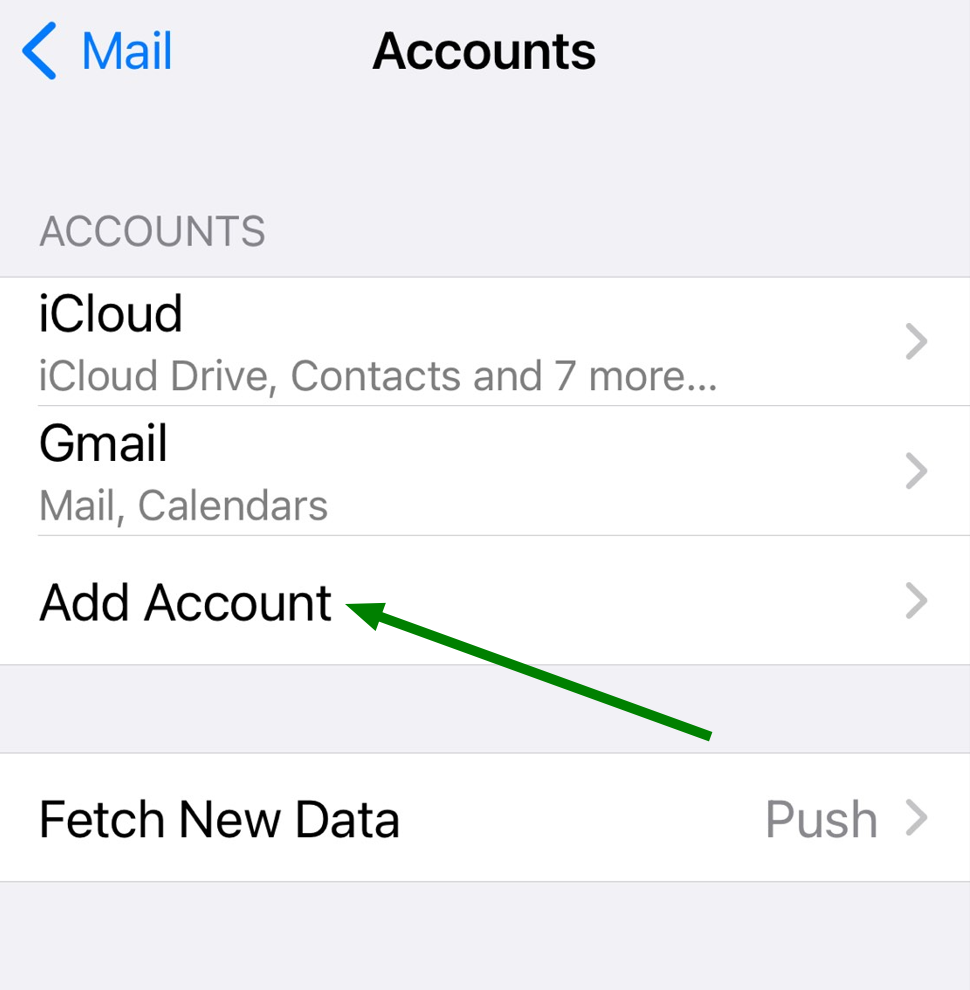
3. Next, click on Add Account menu:
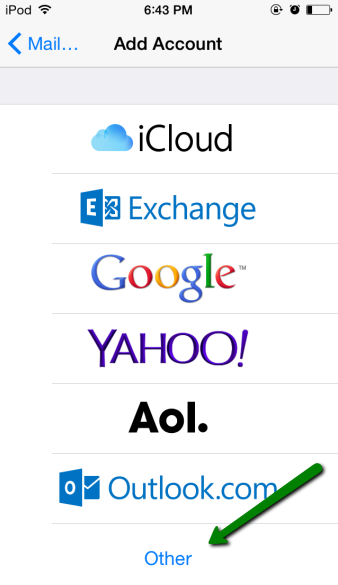
4. Choose Other option:
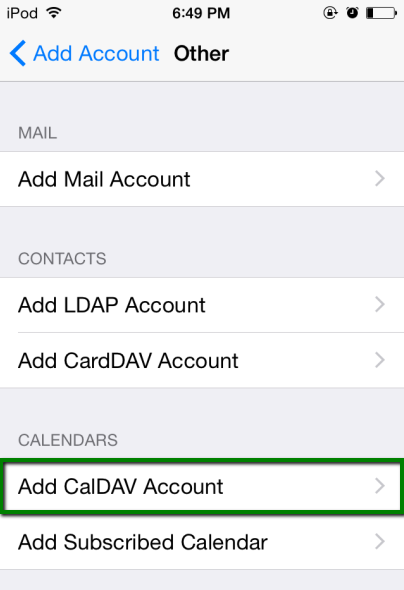
5. Once there, tap on Add CalDAV account menu:
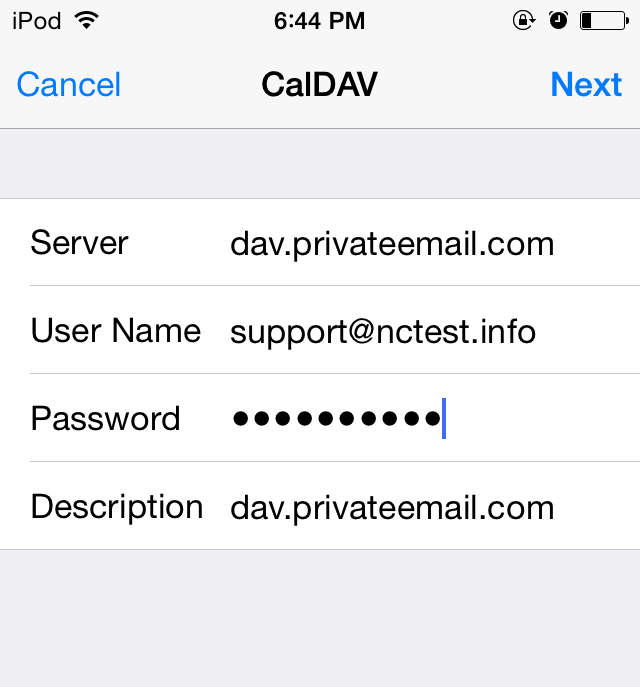
6. Use the following settings for your account setup:
Server: dav.privateemail.com
User Name: full email address
Password: password for this mailbox
Description: any description you wish
That's it!
