
Our Private Email supports user+tag@domain.tld email addresses. This feature is also known as plus addressing or subaddressing. It allows senders to route a message directly to the folder of a mailbox.
Email subaddresses use the user+tag@domain.tld format, where "user" represents the username of the mailbox (user@domain.tld in this case) and "tag" represents the folder's name. For example, if you send a message to username+Important@example.com, the mail server will route the message to the "Important" folder in the username@example.com mailbox.
NOTE: If the folder does not exist, the system will create that folder.
Here is an example of what an email to a "+" subaddress looks like:
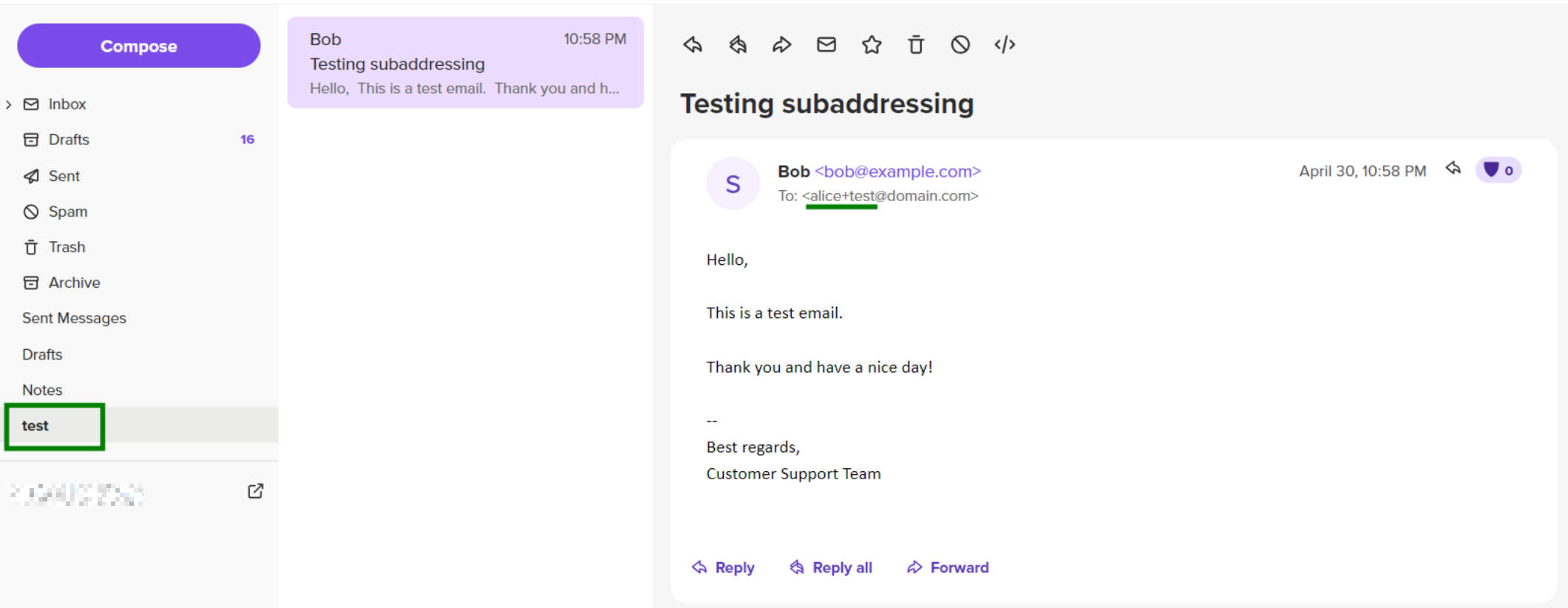
If you are using email clients, you may need to enable the new folder in IMAP subscriptions of your email client.
That's it!
Need help? We're always here for you.