
This guide walks you through canceling your Private Email subscription using the Namecheap Admin Panel.
Important: Private Email subscriptions canceled through the Admin Panel are non-refundable.
Steps to cancel your subscription:
1. Find your Private Email subscription: From the left-hand menu, select Private Email. Locate the subscription you want to cancel and click Manage:
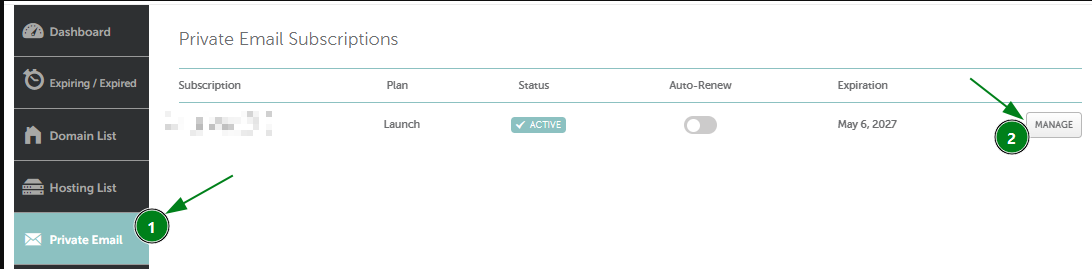
2. Go to the subscription management page: You’ll be taken to the management area for your Private Email. Look for the cancellation option near the subscription’s validity date and click Cancel:

3. Confirm your cancellation: A cancellation warning will appear. To finalize, click Cancel subscription:
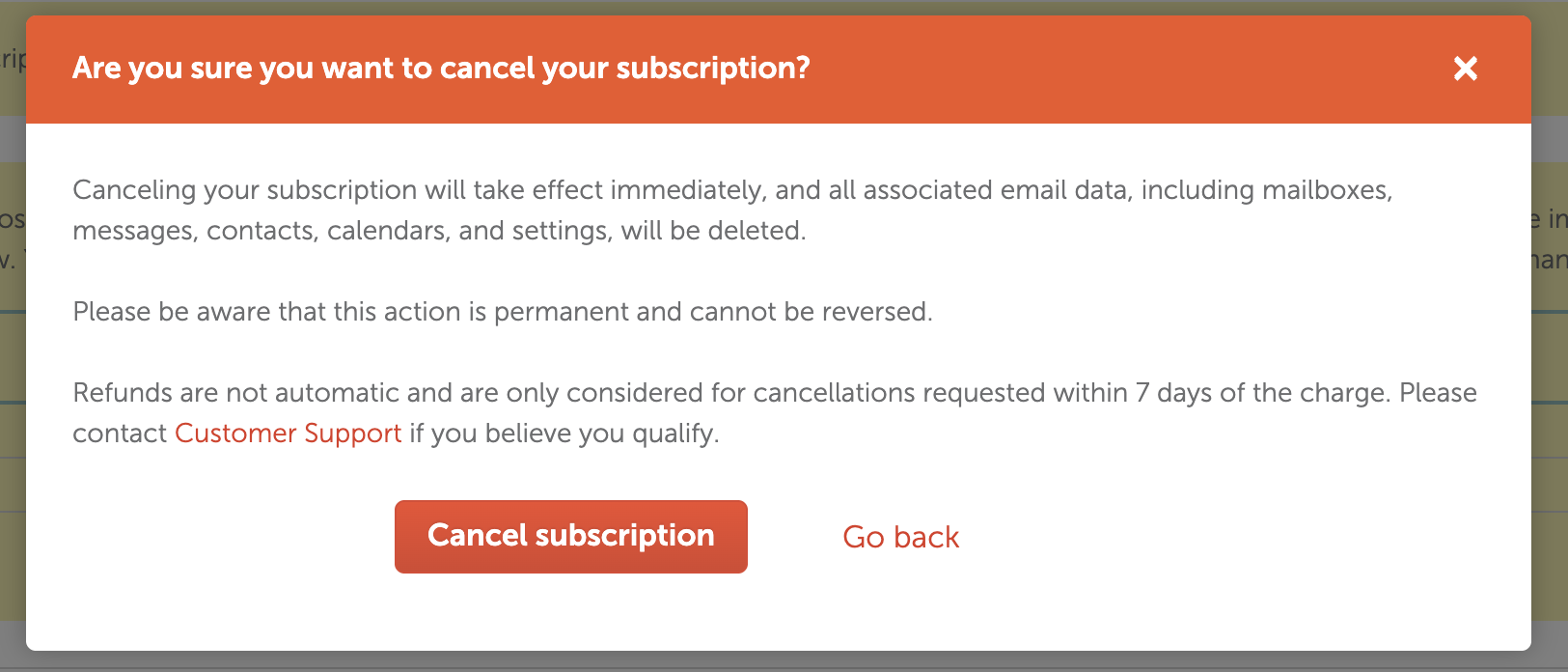
If you change your mind and want to keep your subscription, click Go back instead.
That’s it!
Need help? We're always here for you.