
In this article, you will find how to create an automatic vacation notice or 'out of office' email response in your Private Email account.
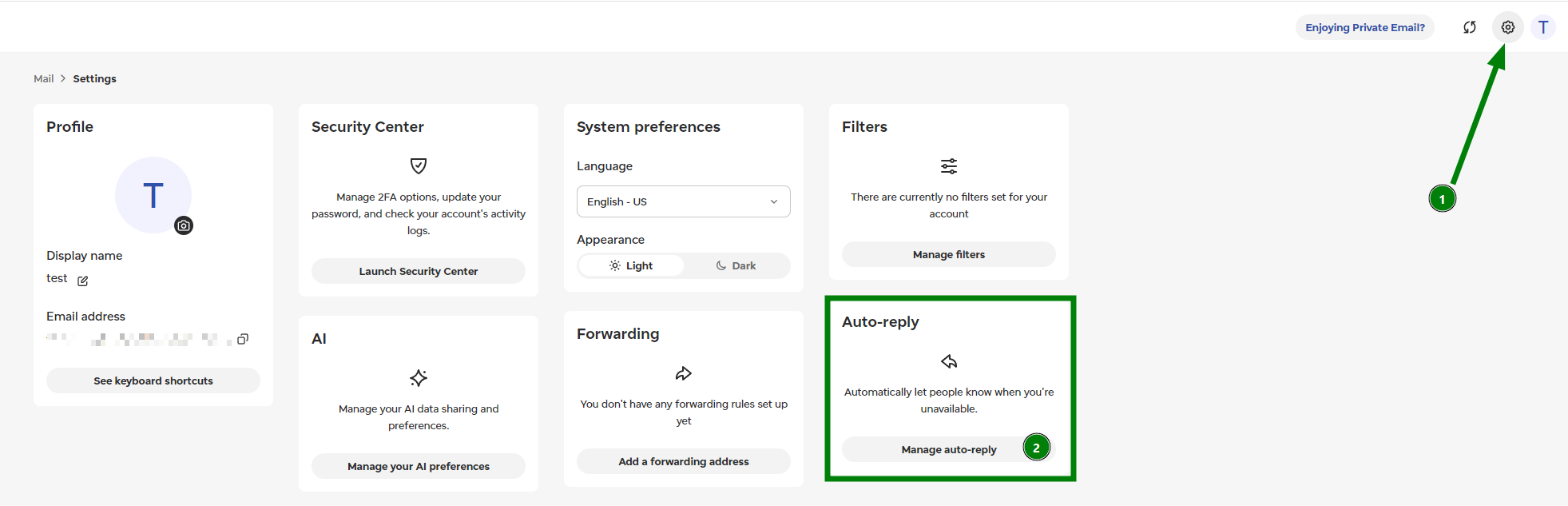
To set up an auto-reply/vacation notice, log in to your Webmail >> click on the Gear icon in the top right corner (1) >> Auto-reply and click on Manage auto-reply (2):
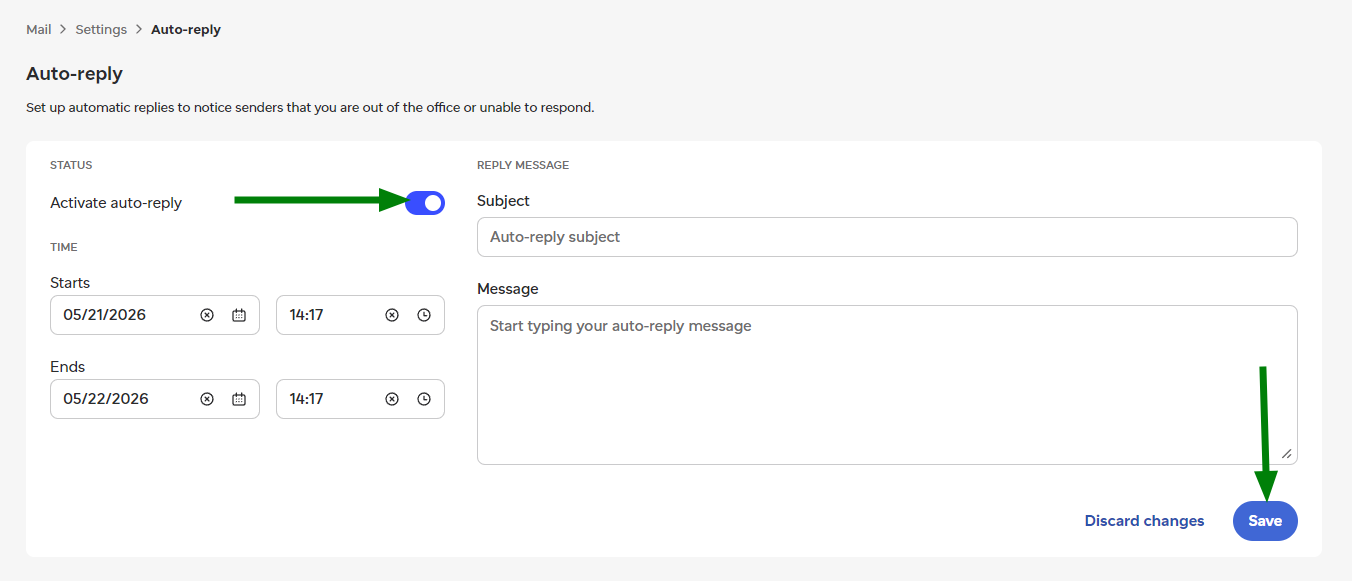
Once there, you can specify a subject of email, text of notification message, and other important options. Click on the toggle in front of the Activate auto-reply to enable it. Click the Save button to complete the setup:
That's it!
Need help? We're always here for you.