The following is required to use the FlashRouter Privacy Application for FastVPN:
- An active FastVPN account (Don’t have one? Sign up here);
- An internet connection;
- DD-WRT compatible router running DD-WRT build version r40189 or greater (any builds dated from June 2019 or later). You can download the latest DD-WRT firmware build for your router model here.
What is the FlashRouters Privacy App?
The FlashRouter Privacy app for DD-WRT can be used with FastVPN. The FlashRouter Privacy app simplifies the connection process and makes switching servers very easy by making our entire server list available from a series of dropdown menus.
Will It Work with My Router?
The FlashRouters Privacy App is officially supported on the following routers:
- Netgear R6300v2
- Netgear R6400v1
- Netgear R6400v2
- Netgear R6700v3
- Netgear R7000
- Netgear R7000P
- Netgear R7800
- Netgear R8000
- Netgear R9000
- Netgear XR500
- Linksys WRT1200AC
- Linksys WRT1900ACv1
- Linksys WRT1900ACv2
- Linksys WRT1900ACS
- Linksys WRT3200ACM
- Linksys WRT32X
- Asus RT-AC56U
- Asus RT-AC66U
- Asus RT-AC68U B1
- Asus RT-AC1900P
- Asus RT-AC68U C1
- Asus RT-AC87U
- Asus RT-AC3100
- Asus RT-AC5300
The FlashRouter Privacy app is designed to function with additional DD-WRT routers, but they must have more than 16MB of flash memory onboard. When checking to see if the FlashRouters Privacy App will run on your DD-WRT router, remember that the DD-WRT minimum build version for a fully secure installation is r40189 or greater (any builds dated from June 2019 or later). For specific questions or issues with your specific model, you should contact FlashRouter Support directly.
How to Install the FlashRouters Privacy App on your DD-WRT Supported Router
- Make sure your router is connected to the internet, point your browser to your router's Administration portal for DD-WRT.
- Go to Administration > Commands and copy and paste the following line:
curl --silent https://api.flashroutersapp.com/api/v1.0/ddwrt/group/namecheap/provider/NamecheapVPN/install | sh
- Click Run Commands.
- If the installation of the FlashRouters Privacy app is successful, you will see an Installation Success! message at the bottom of the output of the command, we ran above.
Connecting to FastVPN in the FlashRouters Privacy App
Now that the FlashRouters Privacy app is installed on your DD-WRT router, you can access the app from your DD-WRT settings. To get started connecting with the FlashRouters Privacy app, follow the steps below.
1. Accessing FlashRouters Privacy app
To access the FlashRouters Privacy app in your DD-WRT router settings, log into your router's admin portal and go to Status > MyPage. Or you can access it directly at http://192.168.11.1/MyPage.asp (This is the default IP for FlashRouter customers).
2. Enter your FastVPN information- If you are not a FastVPN user yet, sign up now.
- Visit Namecheap login page, and verify your account information by successfully logging in.
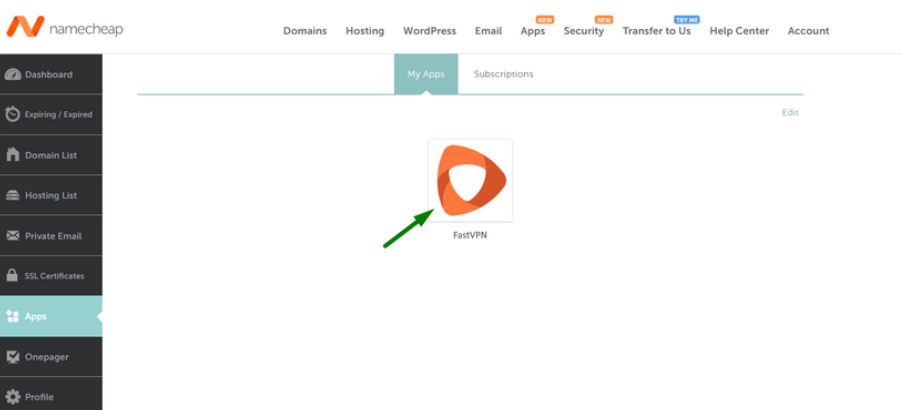
- Log in with your account information and navigate to the Apps area on the sidebar, then select the FastVPN icon in the center of the screen:
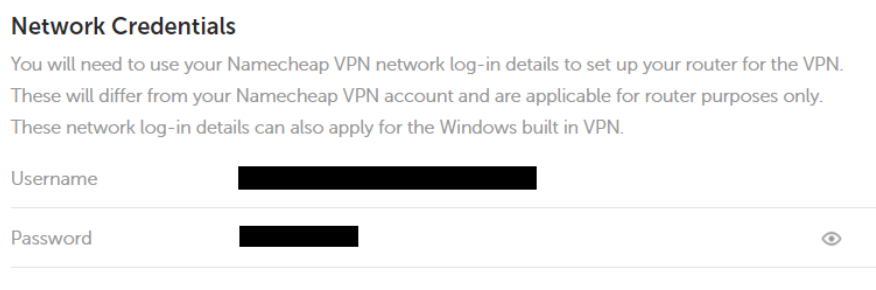
- You will be redirected to the FastVPN account panel where you will see the specific username and password that you’ll need to enter into the FlashRouters Privacy App to connect to FastVPN:
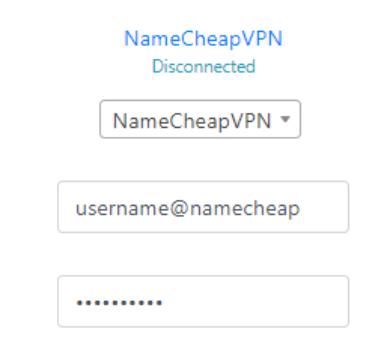
- In the Username and Password field, enter the FastVPN login that you obtained in your account area before:
3. Select a FastVPN server
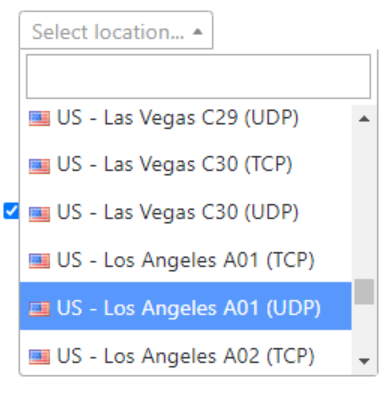
Click the Server location dropdown and type in or scroll to your preferred server location:
4. Connect to FastVPN
Click the Connect button to start your FastVPN connection. Please be patient as the router connects your entire network through VPN.
5. Verify a successful FastVPN connection
Visit What is my IP Address page to verify your new IP Address and virtual location. You should see Connected at the top of the page underneath FastVPN:
6. Connect to a different FastVPN server
To change your server, select a new server from the Server location dropdown and click Reconnect:
7. Disconnect from FastVPN
To disconnect from FastVPN, click the
Disconnect button:
If you would like more information on the additional features of the FlashRouters Privacy app, check out the links below:
If you have any issues with the FlashRouters App, please contact the FlashRouters support via
this form.
If you have any questions regarding this guide, please contact our Support Team.