Django is an open-source Python framework that allows you to build web applications. It has both front-end and back-end capabilities, which help develop projects from scratch.
In this article, we will take a look at deploying a simple Django application on Shared servers.
The process of deployment consists of a few steps:
Let’s take a look at each of these steps:
Create a Python application
Since Django requires Python to operate, we first need to set up a Python environment on our shared hosting.
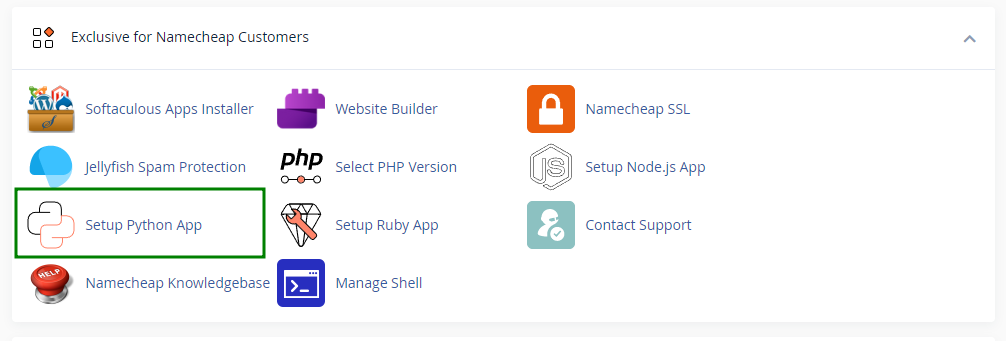
- Go to cPanel >> the “Setup Python App” menu:
In our example, it will look like this:
- Inside the menu, click on the “Create Application” button:
In our example, it will look like this:

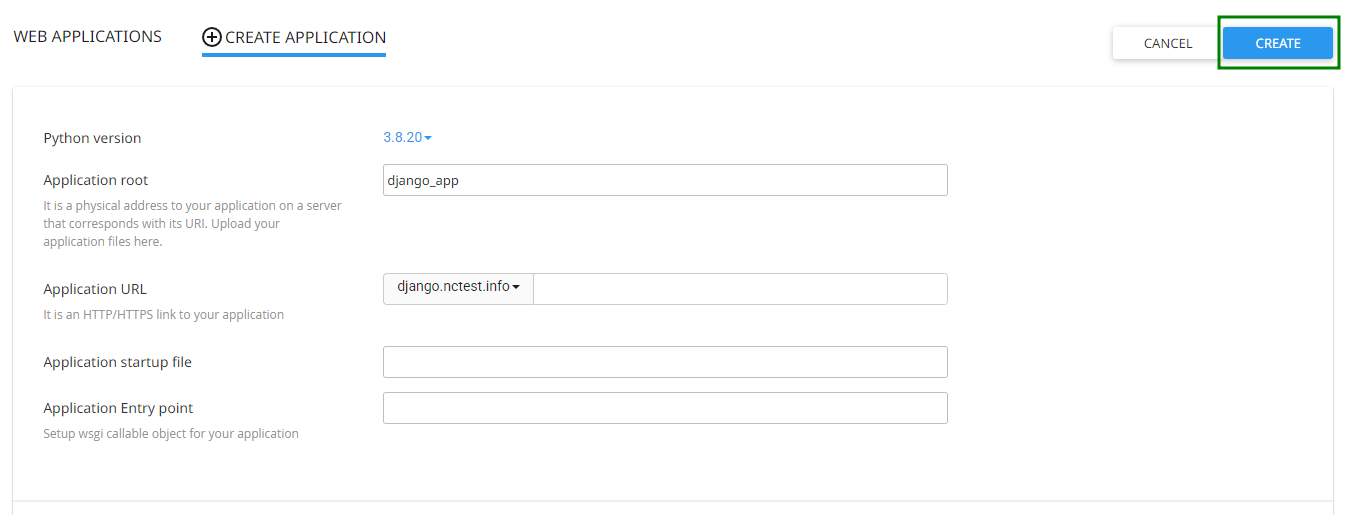
- In the application form, you’ll be asked to fill in the following details:
- Python version: set the preferred Python version. In this article, we use version 3.8.20.
- Application root: specify the directory for your application. We use django_app in this example.
- Application URL: select a domain or subdomain for the application. We will use django.nctest.info as an example.
- Leave the Application startup file text box and Application Entry point text box blank.
Once done, click the Create button in the top-right corner:
In our example, it will look like this:
- After the application is created, a command will appear in a blue box at the top of the page. Save this command, as you will need it later to access the Python virtual environment:
In our example, it will look like this:

Configuring a Django project
Once the Python application is set up, you need to install the Django module and then create and configure the Django application.
To do that, follow these steps:
-
Log in to the account via SSH. For more details, refer to the SSH access guide. You can also do it using the “Terminal” menu of your cPanel account:
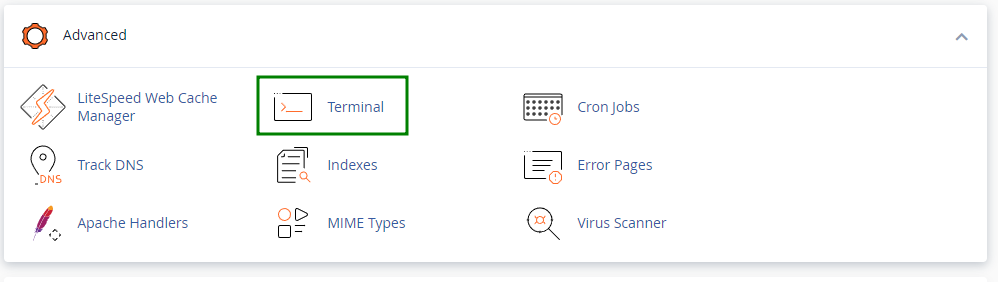
Note: Make sure that SSH access is enabled for your account.
-
Use the command you saved in step 5 to enter the Python virtual environment. For example:
source /home/nctests/virtualenv/django_test/3.8/bin/activate && cd /home/nctests/django_test

- After entering the Python virtual environment, run the following command to install Django:
pip install django
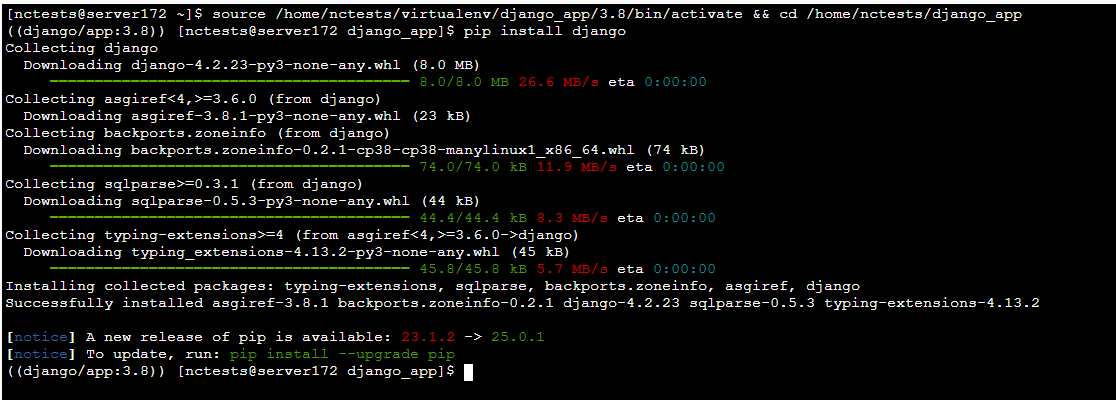
- Do not close an SSH client or disconnect, since we will need to work with SSH later.
NOTE 1: By default, pip install django installs the latest available Django version. To install a specific version, use the following command (replace version with the desired version number):
pip install django==version
NOTE 2: Django 4.2 is compatible with Python 3.8, 3.9, 3.10, 3.11, and 3.12.
If you want to use an older version of Python, refer to the Django–Python compatibility table below.
| Module/Python version | 2.7.18 | 3.3.7 | 3.4.9 | 3.5.9 | 3.6.15/3.7.16 |
| Django | 1.11.18 | 1.11.29 | 2.0.13 | 2.2.28 | 3.2.18 |
NOTE 3: To check the installed Django version, run the following command:
django-admin --version

- Now open cPanel > File Manager and locate the directory that you set as the Application root in step 3 previously during the Python application creation.
-
You can upload files of your Django application here and extract them.
-
Open the passenger_wsgi.py file and replace the content there with the following:
import myproject.wsgi
application = myproject.wsgi.application
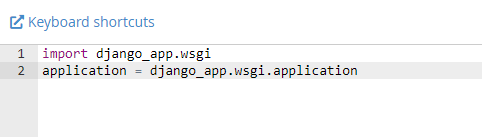
where myproject should be replaced with your Django project name.
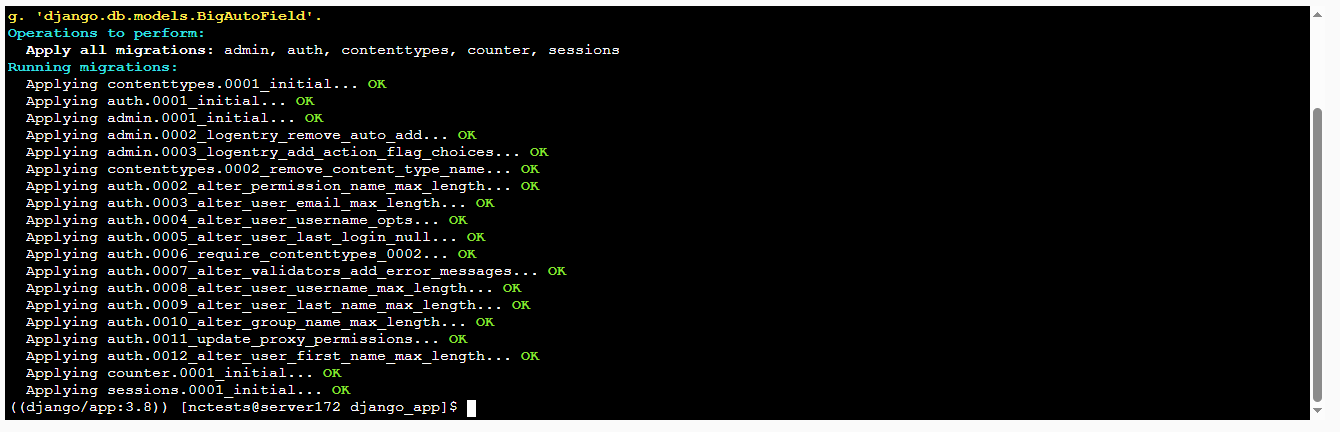
- Now, we need to go back to our SSH client or cPanel > the “Terminal” menu and run the following command:
python manage.py migrate
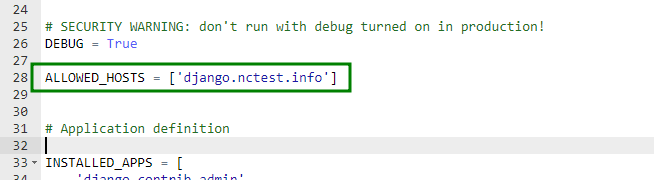
- After that, please open your settings.py file, locate the ALLOWED_HOSTS = [] line, and specify your domain or subdomain that you set as Application URL in step 3 previously during Python application creation. In this example, we will edit it as follows:
ALLOWED_HOSTS = [‘django.nctest.info’]
- Once it is done, restart the application from the “Setup Python App” menu:

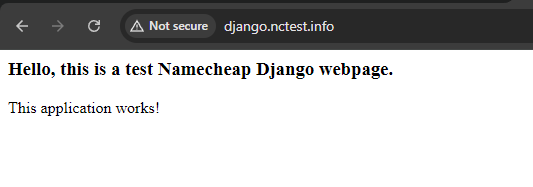
- The final step is to open the domain or subdomain for your application in a browser and check how it works:
Installing modules
If your Django application needs modules to be installed and you have a
requirements.txt file uploaded along with all your application files, you can install them via the “Setup Python App” cPanel menu.
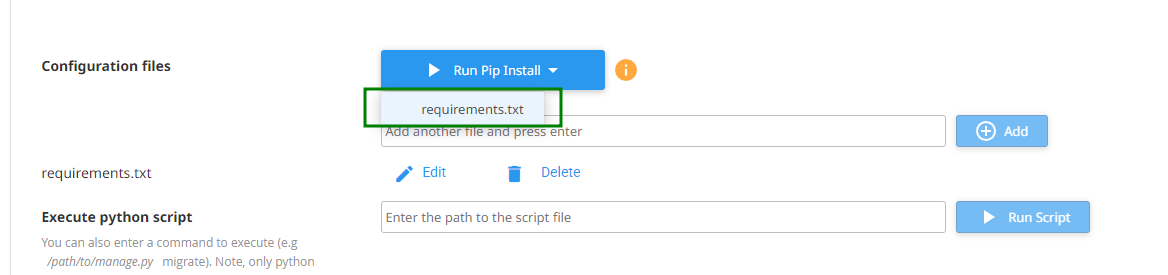
- Scroll down to the Execute python script field, click the Add button, and specify your requirements.txt file:

- Then click Run Pip Install and select requirements.txt from the drop-down menu:
This will launch the Python modules installation.
That’s it!
