
Private Email is moving to a new webmail. While your personal calendar will be migrated automatically (no actions from your end are required), you might still want to keep a copy of your public calendars (which will not be migrated automatically and won’t be available in the new Private Email webmail). To do that:
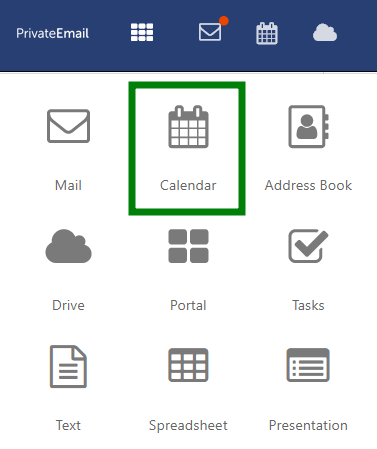
1. Log in to Webmail and select Calendar in the bar above:
2. Click Options (three stripes icon) next to the calendar you wish to back up. Click on Export:
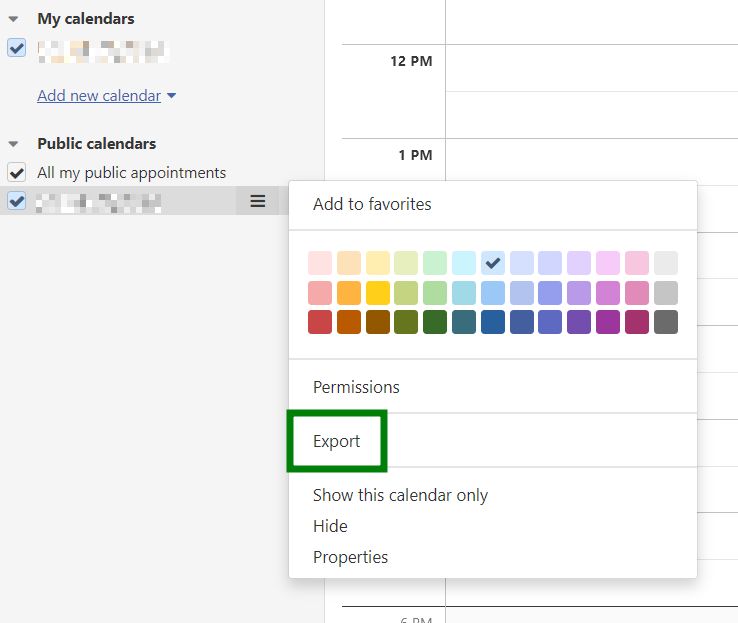
An .ics file will be downloaded to your device. You can use it to import your calendar using a mail client (for example, Thunderbird).
Need help? We're always here for you.