
The following article provides step-by-step instructions on how to configure a CalDAV account on an iPhone device.
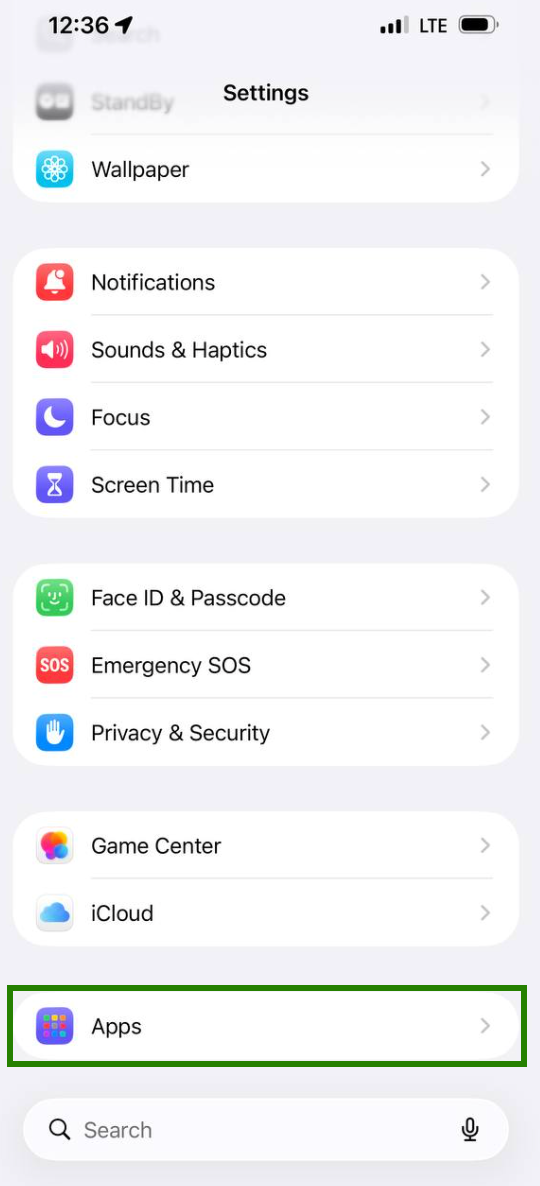
1. Open Settings >> Apps:
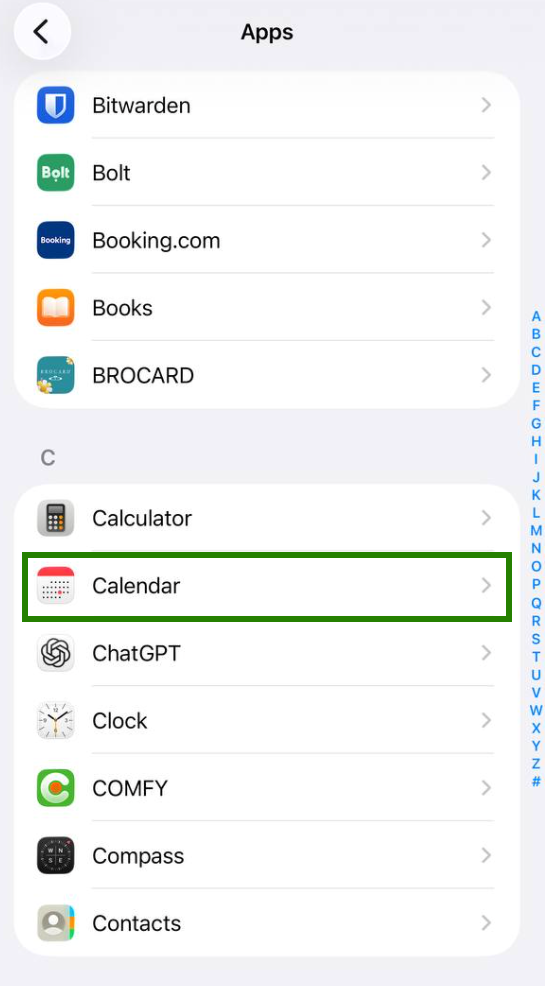
2. Then tap on Calendar:
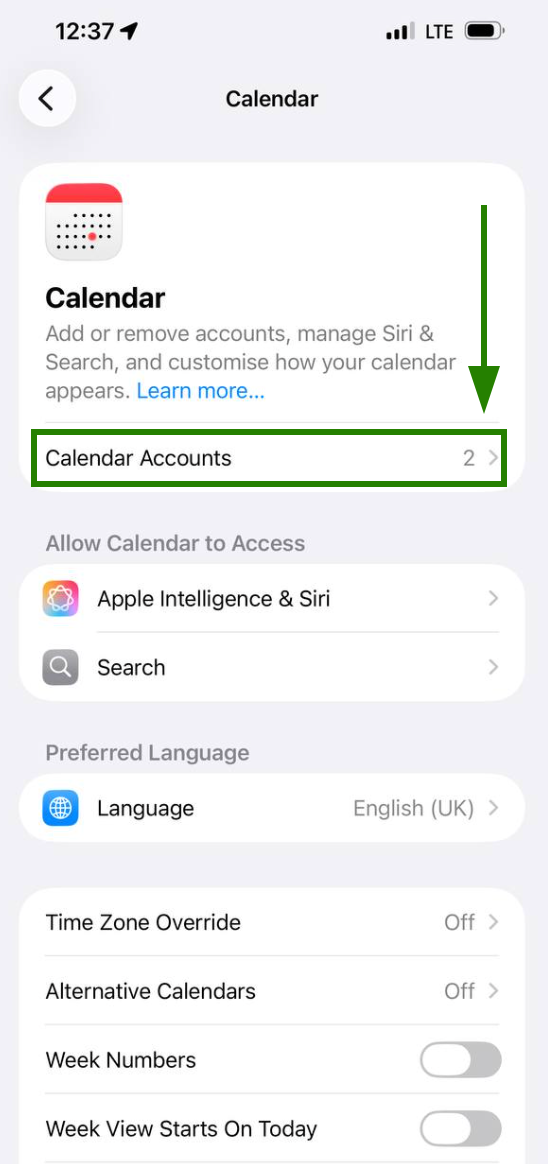
3. Next, click on Calendar Accounts:
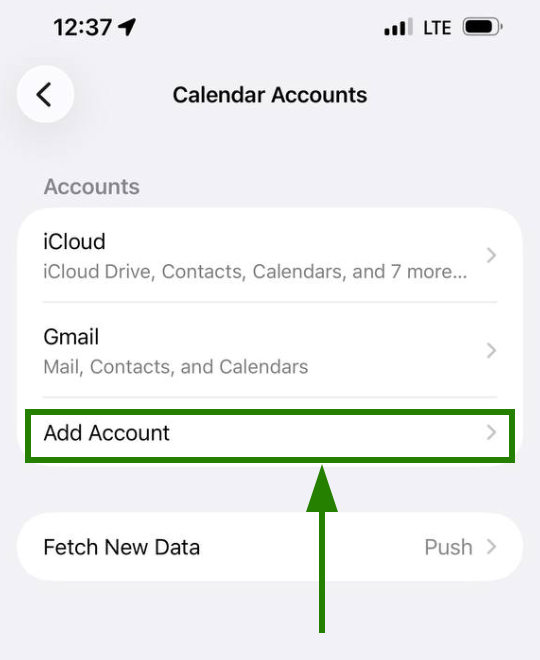
4. Tap on Add Account:
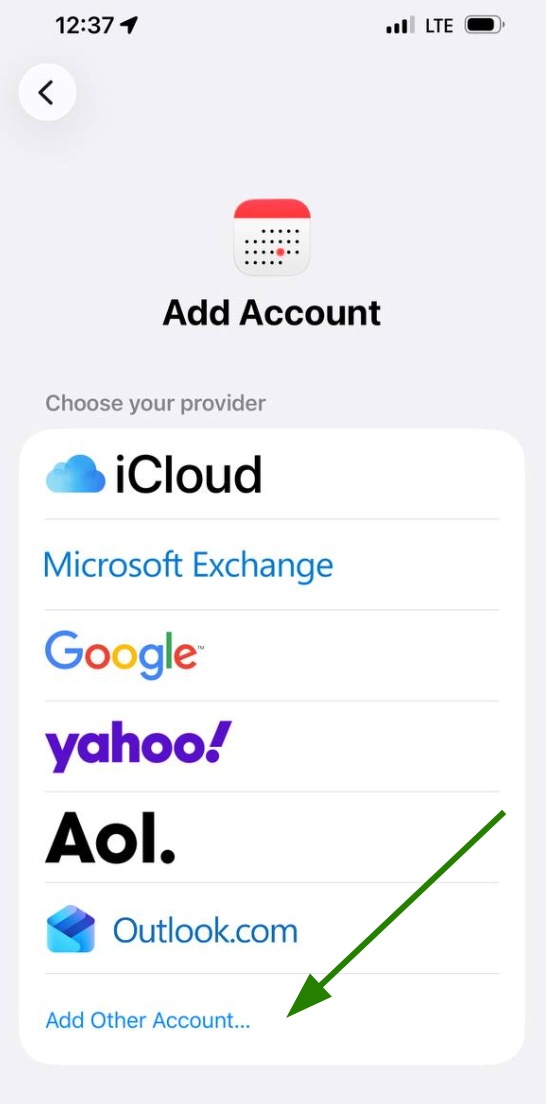
5. Choose Add Other Account:
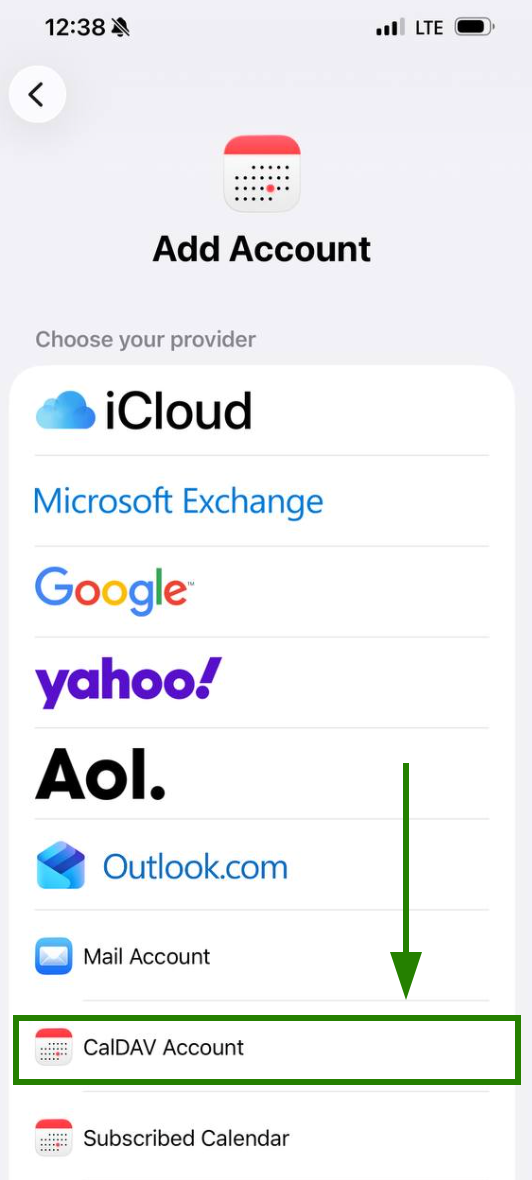
5. Tap on CalDAV account:
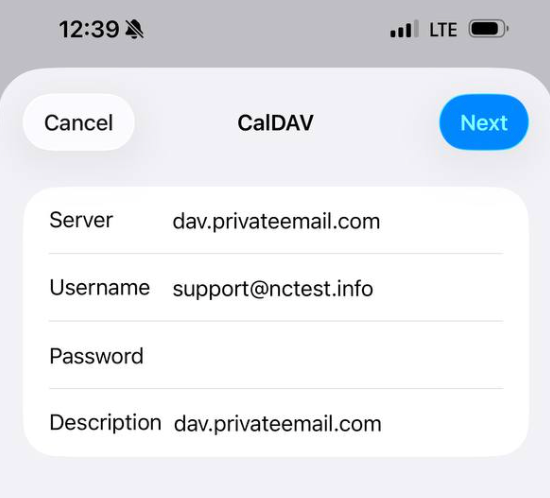
6. Use the following settings for your account setup:
Server: dav.privateemail.com
User Name: Full email address
Password: Application password for this mailbox
Description: Any description you wish
That's it!
Need help? We're always here for you.