


How to make a logo: The simple steps you need
Follow these five steps to create a logo that looks professional and feels authentic to your brand.
Read more


Use the power of AI to create an unlimited number of designs with this 100% free logo generator tool.

Logo Maker never adds watermarks to logos, so every design showcases your brand without any distractions.

Use the simple, user-friendly interface to create, edit, and download logo designs in just a few minutes.

Let AI generate dozens of designs for you, then tweak colors, fonts, and icons to create your ideal logo.

Browse Logo Maker's vast icon library to find the perfect fit for your brand. Every icon is free to use.

Choose from popular color schemes or enter the hex codes to get an exact match for your brand colors.

Include text for your slogan, tagline, or mission statement to see how it looks in different logo layouts.

Logo Maker includes PNG and SVG files featuring high-quality, high-resolution images with every download.

Looking for logo examples? Browse our library of professionally designed logo templates for inspiration.

Preview your logo design on T-shirts, business cards, and websites to visualize potential applications.

Easily import your logo to Site Maker and Card Maker to add branding to your website and business cards.

Create quick links on any device to share your logo design ideas on social media or with your colleagues.
It's easy, free, and takes less than 5 minutes.
Select a variety of fonts, icons, and colors that you feel will best represent your brand.
Let our artificial intelligence come up with unique logo designs according to your selections.
Browse the different logos created just for you, and download them directly to your computer.
Check out these logo ideas to help spark your imagination
Need a logo for your startup idea?
A common mistake is hiring a designer or spending countless hours making a custom logo.
Don't fall into that trap.
Use a free logo maker. @Namecheap has a great one. It takes 5 minutes, it's free, and the logos look perfectly respectable.
The logo maker is a great service offered by Namecheap. It was easy to use and so versatile. I went through the process a few times before arriving at the exact look I wanted. The logo files have worked with all applications which I have needed them such as WordPress, Google, and my letterhead.
Trustpilot
Namecheap's Logo Maker is Great!
I have used Namecheap's Logo Maker several times to put a brand on the websites that I use as an affiliate marketer. It's a great start for putting a brand name and brand mark in front of people. I highly recommend it!
Trustpilot
It's actually amazing how quickly you can make a sleek and professional looking logo for your business. Could not recommend more.
ungrabbed.com
I use the Namecheap LogoMaker app regularly. It is excellent, intuitive, professional and more. I appreciate the versatility and it makes me want to explore using more of their services.
Trustpilot
A completely underrated tool. Unlike most sites that hold your file hostage until you pay, this one allows you to download the source files (PNGs and SVGs) for free. It uses AI to match fonts and icons perfectly to your brand industry.
Best one I've used. Simple, easy, and free-free svg & png!
Trustpilot
So simple, elegant, and quick! Love it :) Also sweet how you can download for free no strings attached.
Generate a great logo fast, just click on fonts and icons you like, and the AI takes care of the rest!
Let us know what you think about Logo Maker.
Find inspiration and get tips for creating the perfect logo.
Follow these five steps to create a logo that looks professional and feels authentic to your brand.
Read more
Check out logo and icon examples to see how both can help establish a recognizable brand.
Read more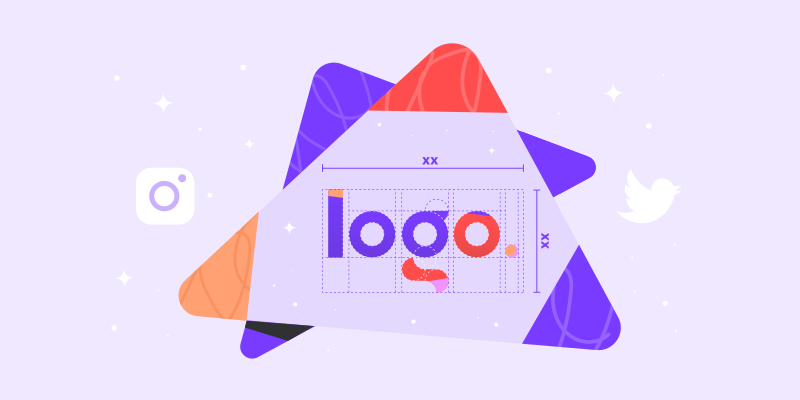
Get details on the best practices for brand logo sizes on social media, websites, and more.
Read more
Logo Maker is part of Visual — a suite of creative design tools exclusive to Namecheap.
Visual is a simple and affordable collection of creative tools that helps small businesses, entrepreneurs, and freelancers bring their brands to life. Visual makes it easy for anyone of any skill level to design all the essential elements of their brand. From creating a logo for your business, to building a basic website, to designing business cards, Visual can help bring awareness to any brand. Check out our other Visual tools: Font Maker, Site Maker, Card Maker and Business Name Generator.






Your website security and privacy comes first at Namecheap, and we will always support the rights of individuals and consumers online. It's our mission to keep the Internet open, free, and safe for everyone.
Boost your business with industry-premium products and services, at prices that won't break your budget. If it doesn't provide you with a better Internet experience, we simply don't offer it.
You're covered by a Support Team that's renowned for being one of the most knowledgeable, friendly, and professional in the business. Real people are ready to assist you with any issue, any time, 24/7.
Accessing your saved logos is easy on Logo Maker, a free online logo maker without watermarks. First, sign in to your Namecheap account and then click on the View my existing logos link at the top of the main Logo Maker page. From there you will be navigated to all of your saved logos.
Your custom logo design is always free on Logo Maker. No matter if you download your logo once or thousands of times, it will always be free. And the best part? You can create as many cool logos as you'd like without ever being charged.
If you're creating a logo from scratch with our free logo generator, complete all the necessary design steps and then click on the download button at the end of the process.
However, in order to download a logo, you will need to be signed in to your Namecheap account. If you do not have one, you can sign-up for a free account and download your logo.
If you're looking to download a saved logo, sign into your Namecheap account and click on the View my existing logos link on the main Logo Maker page. From there, select the logo you'd like to download. After selection, click on the download button and then the files will automatically be downloaded to your computer.
Yes, it's quick and simple to see how your new logo will look on select marketing materials. Before downloading your free logo design, Logo Maker allows you to preview how it will appear on a website, t-shirts, and business cards.
You can even share how it looks with others through online links.
To download or share your free logos, you will need to sign into your Namecheap account. However, if you just want to design logos for fun and not download the logos, you do not need to sign up for Logo Maker.
Logo Maker's free logo creator tool aims to make things as easy as possible when you make your own logo. This means that you are totally free to play and create as many logos as you'd like until you find the perfect look for your brand.
In order to copyright a logo, you'd have to work with a lawyer familiar with copyright laws in your country.
We are just a logo maker tool, and unfortunately, we can't help you with this or any other legal matters involving copyright.
In addition, Logo Maker cannot assist with trademarking a logo. Read our Guru Guide, How to trademark a logo, to learn more about how to file a trademark.
Follow these quick and easy steps to create your business logo.
In order to save, share, or download your logo, you'll need to be signed in to your Namecheap account. If you don't have a Namecheap account, signing up for an account is fast and free.
If you need help coming up with a design, our free online logo maker has a large logo library to help provide you with some inspiration.
Yes. For all of the designed logos on Logo Maker, you'll receive them in two logo file formats: SVG and PNG.
With the PNG files, you can place your logo on flyers, business cards, merchandise, marketing materials, and social media channels with great ease.
When you make a logo for free on Logo Maker, we give you a variety of logo sizes to try to best fit all of your needs: banner imagery, profile photos, etc.
Need help? We're always here for you.