| Subtotal | $0.00 |
USD
U.S. DollarEuroBritish PoundCanadian DollarsAustralian DollarsIndian RupeesChina Yuan RMBMore Info →

| Subtotal | $0.00 |
Before getting into the step by step, let’s run through a few important notes.
When you transfer a domain from GoDaddy, the nameservers associated with the domain will stay the same. If the domain uses your old Registrar’s default nameservers (e.g., nsXX.domaincontrol.com and nsXX.domaincontrol.com), they’ll stop responding to domain queries once it’s transferred. As a result, you’ll experience some downtime until you switch your domain to our Domain Name System (DNS).
Learn how to reduce downtime during transfers in this article.
On the other hand, if you’re using a custom or hosting DNS, transferring your domain won’t cause downtime issues — DNS server settings stay the same during transfer. If you are not sure what type of DNS you're using, you can view it in your GoDaddy account -> click "DNS" next to your domain -> open the "Nameservers" tab -> it will be indicated at the top e.g. "Using ... nameservers".
Okay, let’s dive in.
Transferring your domain is simple:
Here, we’ll detail all that it takes to prepare your domain to transfer from GoDaddy.
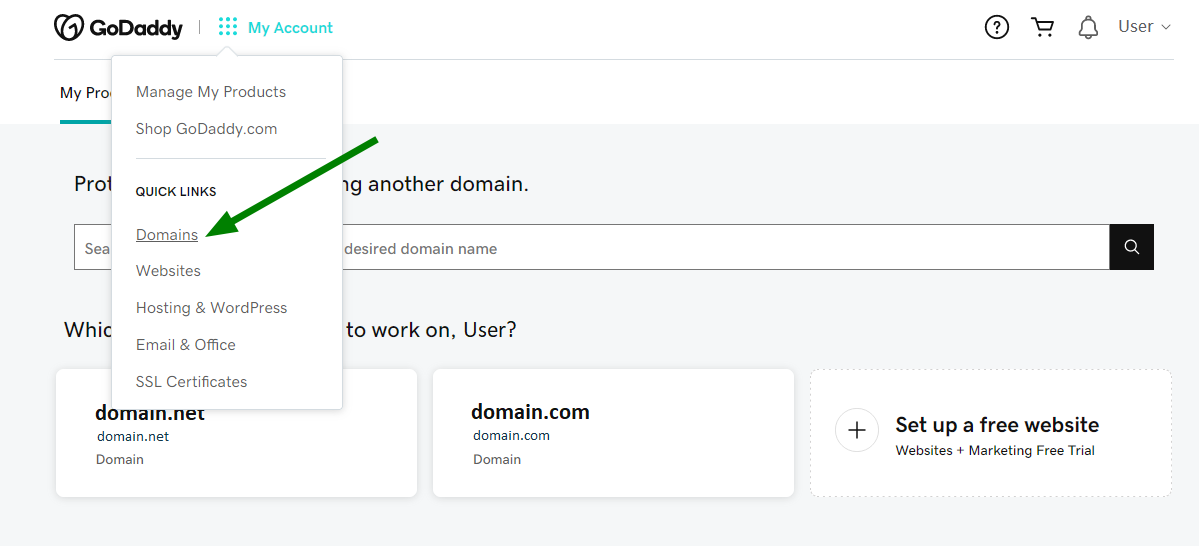
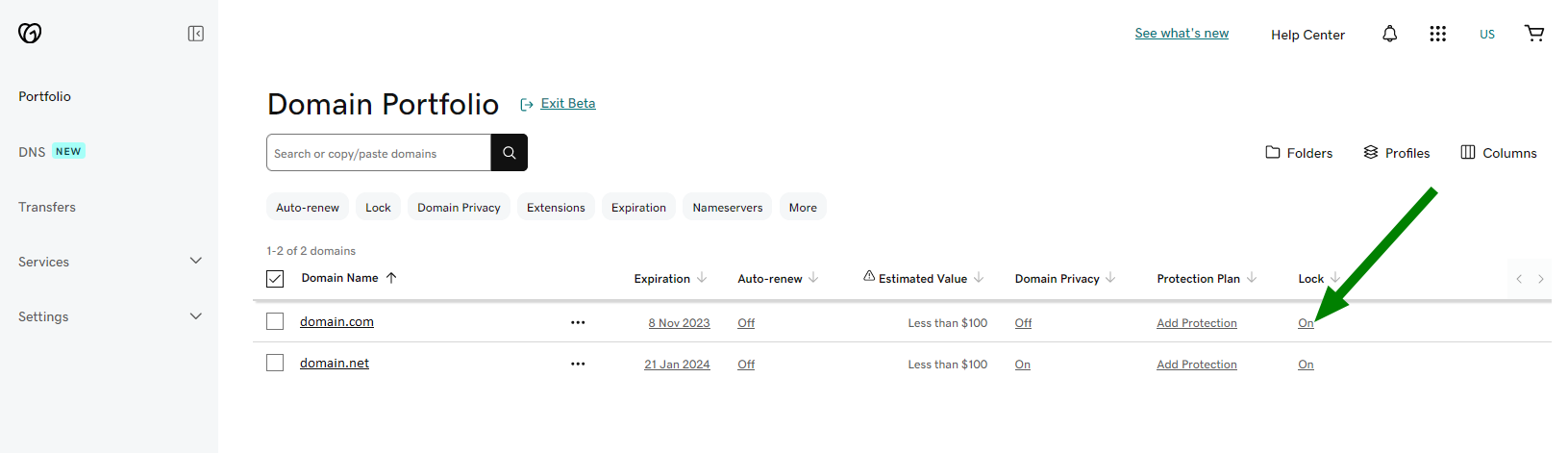
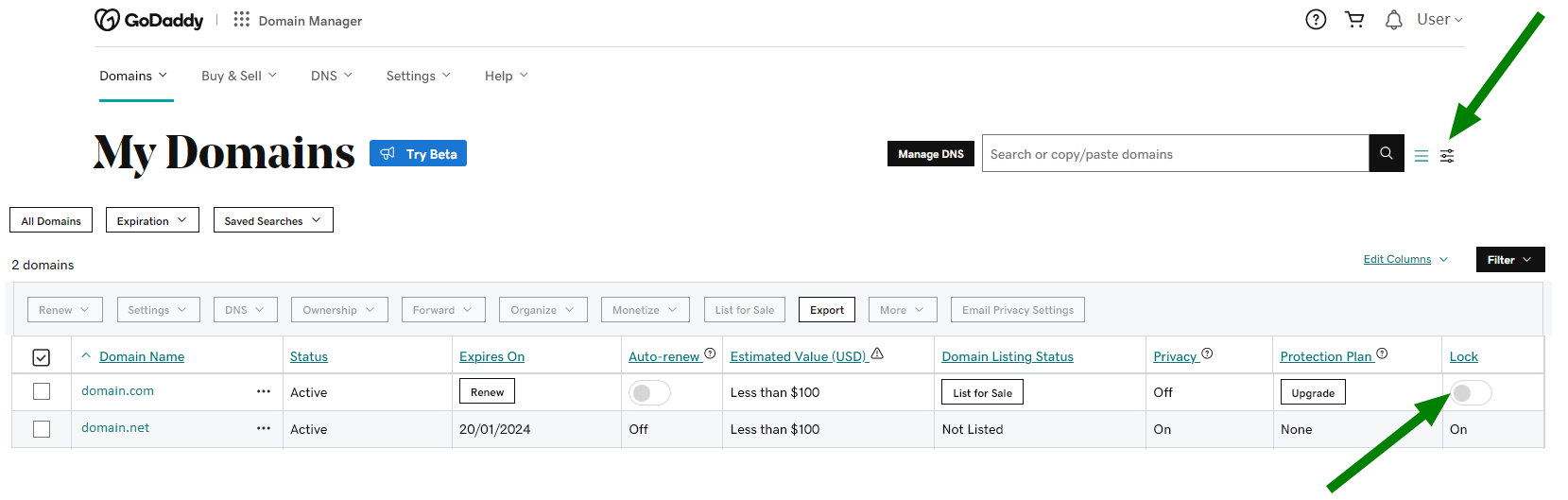
Firstly, you’ll need to unlock the domain and get an Auth Code (if applicable) from GoDaddy. Don’t forget to disable any GoDaddy privacy protection plan you may have in place for your domain.
NOTE: GoDaddy allows you to choose from two interfaces to manage the domains registered with them. This article mainly features their new interface Domain Portfolio Beta. However, if you prefer using the older Domain Manager interface, we’ve also added the relative instructions for you.
Already done it? Log into your Namecheap account and click the banner below to begin the transfer. The part Accept GoDaddy Transfer will also come in handy to make the transfer quicker.

Important: If you make any changes to the Registrant First and Last name, Organization name or Email address, GoDaddy will put a 60-day lock that will prevent outgoing transfers. Updates to any other piece of contact information should not trigger this lock.
See this GoDaddy article for more details on updating contact information at GoDaddy.
The best options to avoid this lock would be either updating your contact info at Namecheap after the transfer is completed or changing the Administrative contact set at GoDaddy.
Still, if there’s a need to update the Registrant details at GoDaddy urgently, you should be able to opt out of the 60-day lock via email. This option is available only if Domain Privacy is turned off beforehand.
For cases where the 60-day lock has already been placed on a domain name, GoDaddy provides a special process to remove this lock. Contact GoDaddy's Review 60 department at review60@godaddy.com to have them review the case and remove the lock, if possible.
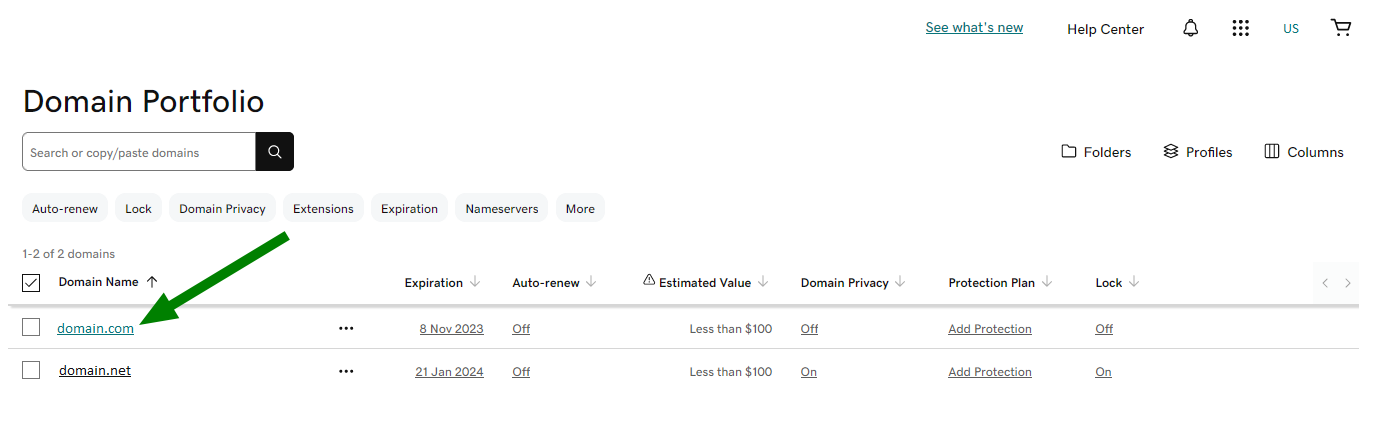
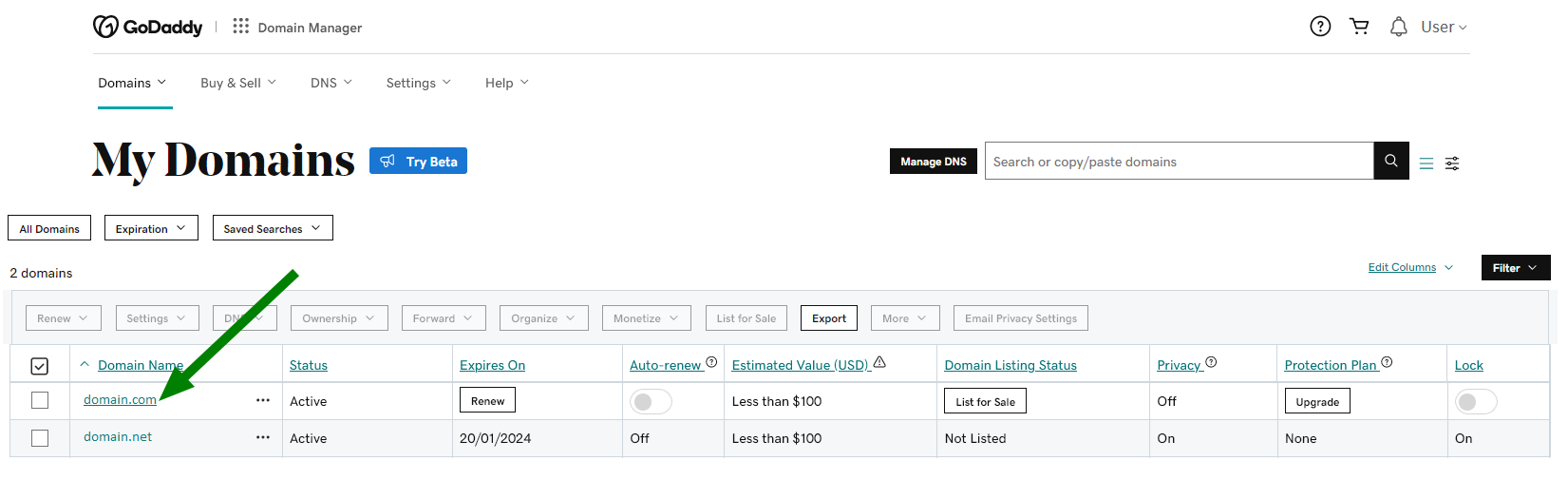
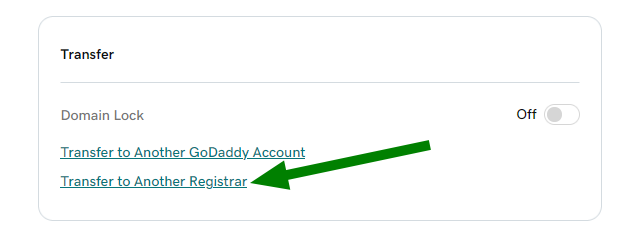
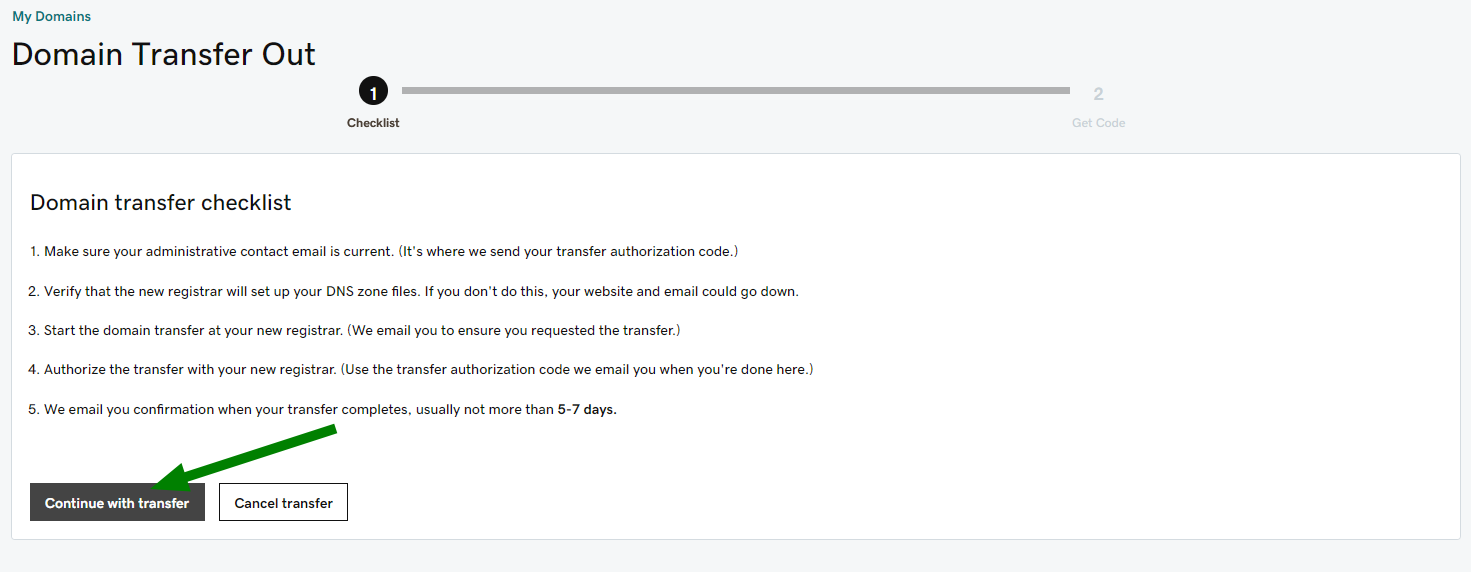
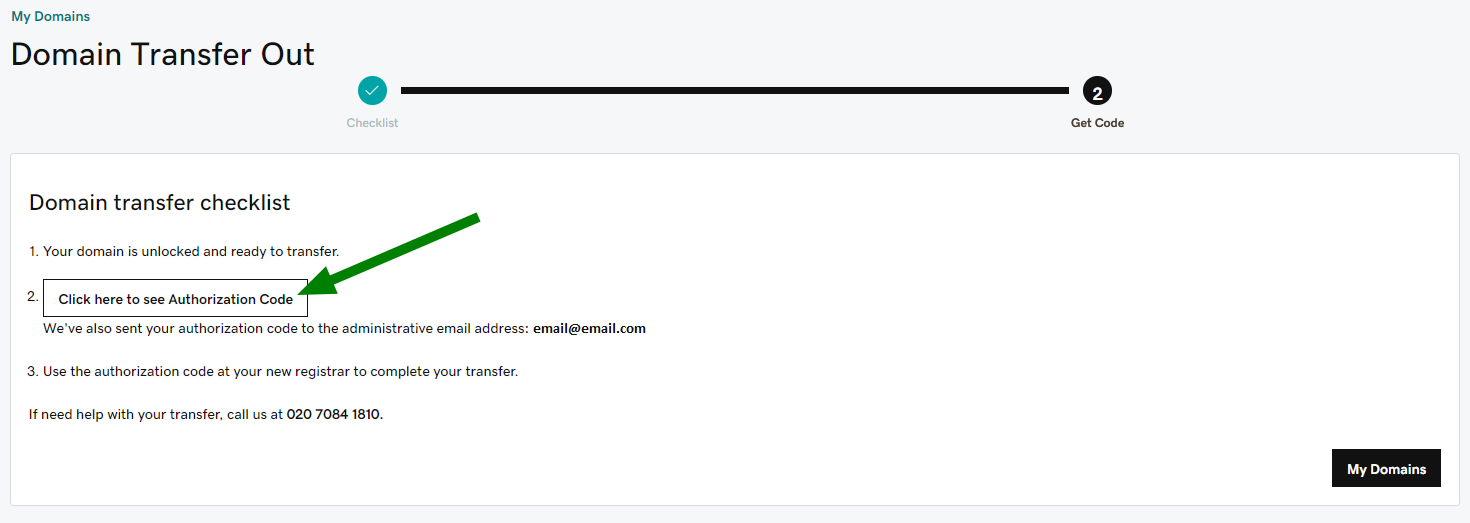
You can copy the code directly from this area. Additionally, you’ll receive the code to your administrative email address in case you’d need to use it later.
When GoDaddy privacy protection is enabled, it is against their policy to allow domain transfers. Any domain transfer requests will be declined while Privacy Protection is active. You will need to disable it before submitting the transfer.
NOTE: Private Registration cancellations are irreversible. This means that once canceled, it can't be enabled back and, if you decide to stay with GoDaddy, the private registration needs to be purchased again.
This step is required if you have a paid Domain Protection plan with GoDaddy (Full Domain Privacy & Protection or Ultimate Domain Protection & Security). If you do not have any paid ones, skip this step and proceed with How to turn off Domains By Proxy Service with GoDaddy below.
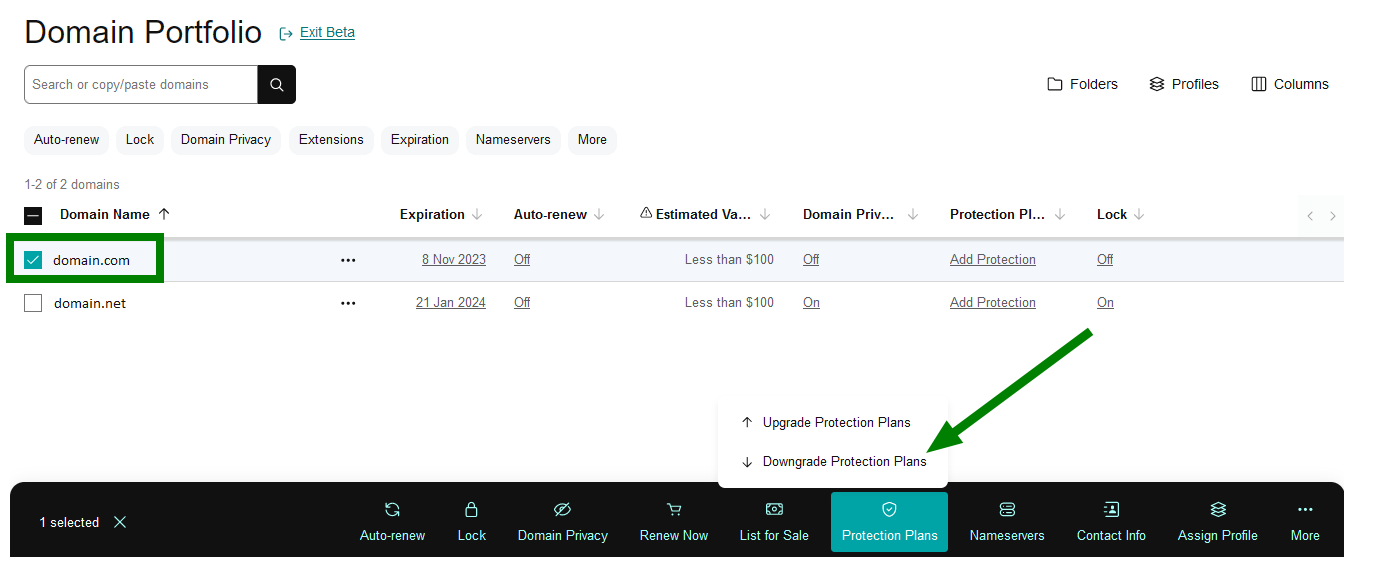
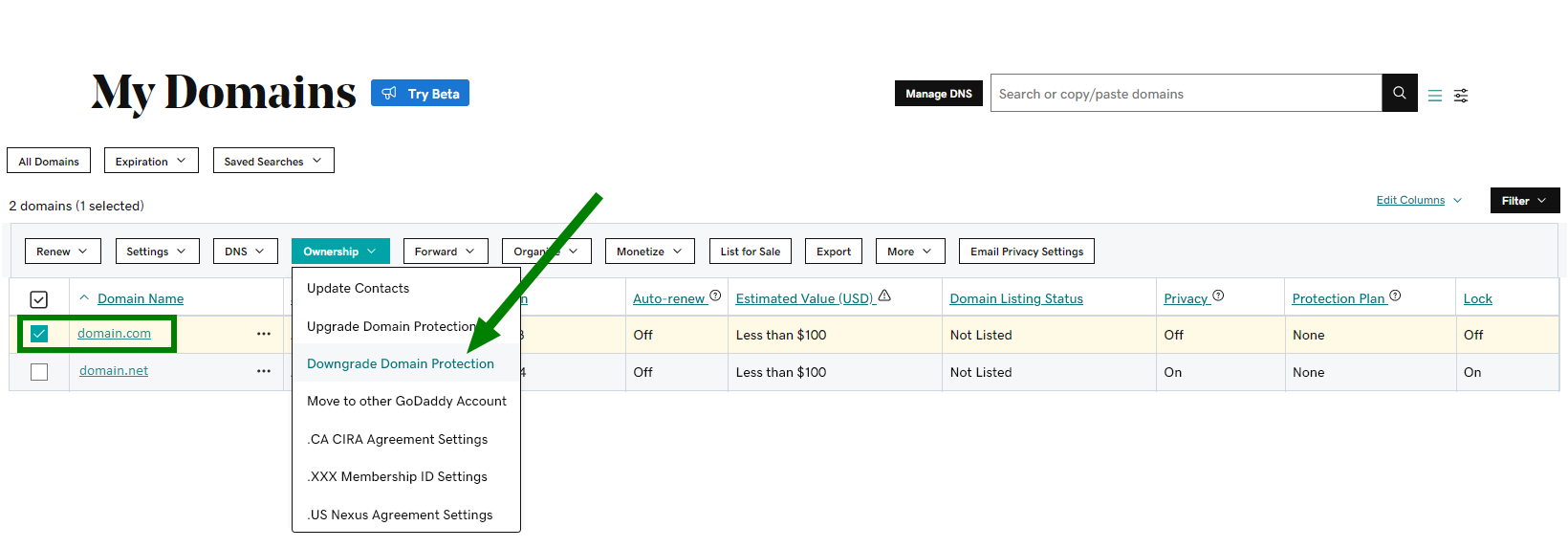
If you have two-step verification enabled for your GoDaddy account, you will need to enter the code from SMS or your authenticator app. Otherwise, enter the one-time password sent from GoDaddy to your registrant email address.
You'll see a Success confirmation once the changes are saved.
Please proceed with this step if you do not have any paid Domain Protection plans or if it’s been downgraded already.
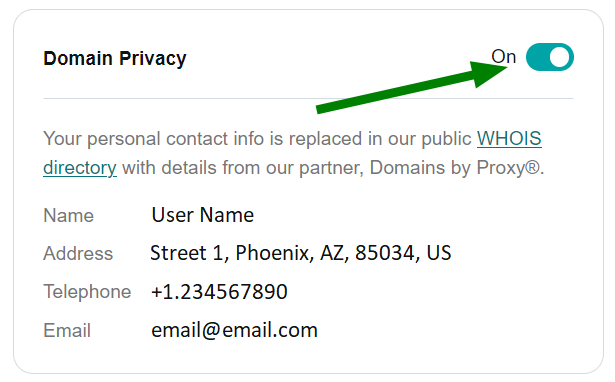
You'll see a Success confirmation once the changes are saved.
Once the domain name is unlocked and you have received your Auth Code, you may initiate the transfer to Namecheap. Please refer to this article for more information on how to submit the transfer to us, and any other steps that may apply to you.
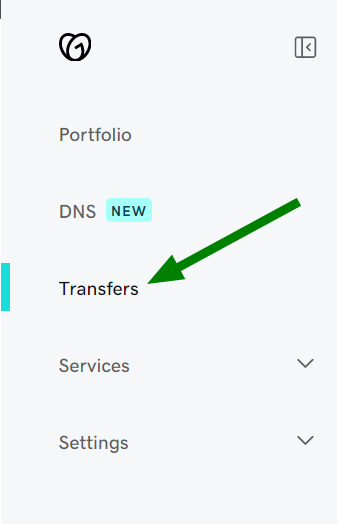
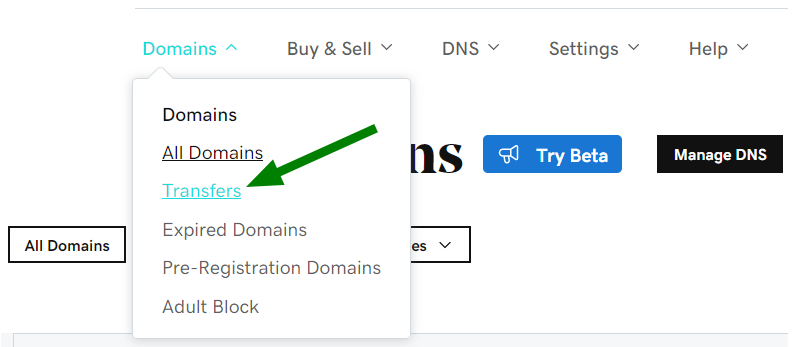
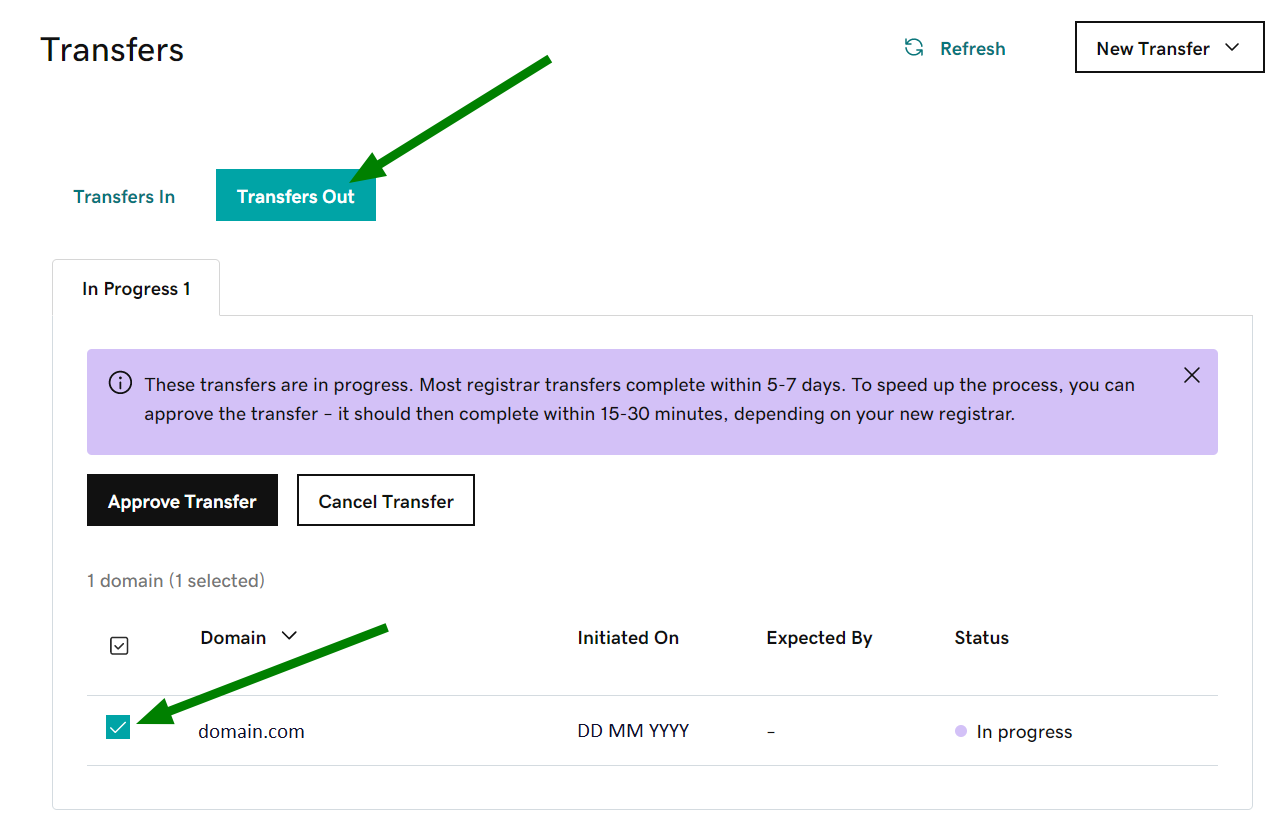
Once the transfer request has been placed and the process has been initiated at the registry level (usually within 20 minutes), the transfer begins. It takes up to 5-7 days for most TLDs. Optionally, you can accept the transfer on GoDaddy's side to speed up the process. Here’s how:
And that’s it! We hope this guide was useful.
Need help? We're always here for you.