What is a phishing attack?
Phishing costs billions to defend against and makes billions for those running it. Whether you’ve fallen for a scam or just want to know what to look out for, this is where to start.
What is phishing?
Phishing is a cyberattack that tries to trick you into handing over sensitive information. Most arrive by email, but not all of them — more on that later. They do this by impersonating someone you know or work with, and these messages can be very convincing. Using AI, attackers are able to mimic the tone of voice and replicate real scenarios that you might encounter during your day-to-day.
A classic example is a message from your bank asking you to verify your account information because they have detected suspicious activity. You click the link, and all hell breaks loose as someone steals your private info and infects your computer.

How does a phishing attack work?
It’s important to be clear that not all phishing attacks are the same. But there are a lot of frameworks and similarities that often crop up. And even though AI is getting better, the human eye is still the best defense against these attacks.
Below, we’ve detailed how phishing attacks generally work, so you can put your eyes to good use in the future.
Step 1: The attacker creates a fake identity
Phishing might share its name with a fun hobby for middle-aged dads, but it’s actually very serious. They’re targeted attacks planned with bad intentions.
Everything hinges on creating a believable fake identity. Attackers pick a target by looking for weaknesses. They then create fake websites and apps that look like the real ones, supported by spoofed domains, emails, and disguised links.
Step 2: The victim receives a phishing message
Then the phishing message is set loose and given a different name based on the method of delivery. If your phishing message arrives by email, it’s just plain old phishing. By SMS, it’s smishing. Voice calls? That would be vishing, or even a 20th-century twist, the slightly less famous but still menacing, quishing sent by QR code.
A well-done phishing attack, meaning a successful attack, will be extremely convincing. It could include real names or events from inside your organization. Plus, the attackers will likely use ChatGPT or another AI tool to give the language a good polish. The main goal of this attack will be to convince you that there is an urgent issue that requires your attention. But don’t worry, just click this link or visit this website, and all your problems will vanish. Spoiler – they won’t.
Step 3: The victim clicks a phishing link.
You’d think that once you click the link and arrive at the website, you’d be able to tell that it’s fake. But since the website often looks just like one you use regularly, like a bank’s, it’s hard to see the difference.
And as soon as you’re on the page, everything is set up to capture your details.
Step 4: Sensitive data is collected
Ultimately, attackers want your usernames, passwords, credit card numbers, and personal details. These are then used to commit fraud, take over accounts, or launch further attacks.
Attackers are very good at making fake login pages that trick you into feeling safe. Once your guard is down, they steal your information, and before you know it, money has left your account.
What is a phishing email?
The scariest part is that phishing scams are everywhere. They’re extremely successful and easy to fall for. And the clue is in the name. “Phishing” is a play on “fishing” because attackers cast a wide net, baiting as many people as possible in the hope that someone bites.
But phishing scams are easy to spot if you know what to look for:
- Fake sender address – The display name might say “PayPal Support,” but the actual email address is something like support@paypa1-secure.com. Always check the full sender address.
- Urgent language – Receiving a message like ‘Your account will be suspended in 24 hours’ is not normal. Genuine companies do not pressure you into clicking a link within hours.
- Suspicious attachments – Strange files, especially .zip, .exe, .docm, or .pdf files from unverified senders, can carry malware that starts working the instant you access them.
- Malicious links – The link text might read “Click here to verify your account,” but when you hover over it, the URL reveals a completely different, suspicious address.

What is a phishing link?
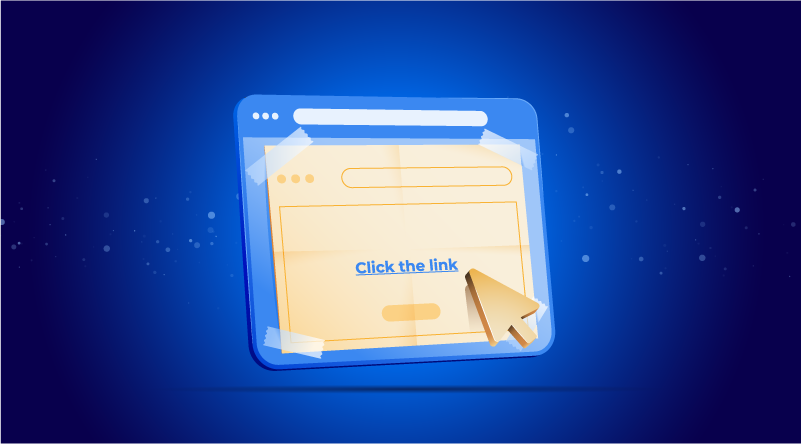
The centerpiece of a phishing email is the phishing link. When phishers are cooking up their dastardly plans, the whole idea is to lead you delicately towards the link with enough care that you click it. To go back to the fishing analogy, this is the shiny hook with a nice, tasty prawn on the end.
Except there’s no tasty prawn, just a fake website designed to raid your bank account or pass on a nasty virus. Here’s how you can spot a dodgy link:
- Misspelled domains – Attackers like to swap similar characters: “l” → “1”, “m” → “rn”, “o” → “0”. The result is a website like “arnazon.com”. This is called typosquatting, and the best way to spot it is to read the domain letter by letter.
- Extra characters – Look at the full URL before you click anything. Scammers pad real brand names with extra characters to fool you. A hyphen here, a number there. Paypal-secure-login.com is not PayPal. amazon-account-verify.net is not Amazon. The brand name is real. The domain is not.
- Suspicious subdomains – Phishing URLs sneak words around the brand like “secure” or “login. The brand appears in the URL but doesn’t own it. For example, “apple-id-verify.com”.
- Https misuse – The padlock icon next to the domain feels reassuring. It shouldn’t. HTTPS encrypts the connection between you and a website. That’s it. It doesn’t mean the site is legitimate. Attackers know this, so they get certificates too.
Types of phishing attacks
Phishing isn’t one single thing. It’s a category of attack that has splintered into multiple techniques, each designed to exploit a different habit or platform. Here’s how each type works.
Email phishing
Phishing is older than most people think. It started in the 1990s with AOL dial-up. Users who didn’t want to pay for internet access got 30-day free trials on floppy disks. When the trial ran out, some faked AOL administrator accounts and conned other users into handing over their login credentials.
By 2000, the tactics got nastier. The ILOVEYOU worm hit 45 million Windows PCs in days, spread by nothing more than curiosity and a fake subject line.
Today, the tactics have evolved. AI now writes the emails, which means the scams are harder to spot than ever. That’s why the numbers keep climbing. 3.4 billion phishing emails are sent every day. It remains the most common form of cybercrime, and it works because it targets people, not systems.
Spear phishing
Where regular phishing casts a wide net, spear phishers know your name, your job, and your employer, and they use all of them against you. It’s low-cost, high-reward, and that’s why large organizations are the prime targets.
It works because most people have a LinkedIn, a Facebook, or a Twitter account. That means your job title, your company structure, is out there in the public and attackers know this.
A criminal can use this to map out an entire organization before sending a single email. The more personal the details, the less likely you are to question them.
Whaling
Whaling is spear phishing with a bigger target. Instead of employees, attackers go after executives, CEOs, CFOs, and anyone with the authority to move money or approve access.
Of course, bigger targets call for deeper research and more convincing impersonations. So attackers study writing styles, track real conversations, and even hijack legitimate email accounts to send attacks directly from a trusted address.
But the effort is worth it. Just one signature from the right person can unlock a very large payment.
Smishing
Smishing is phishing by text message. Most people are more guarded with email than with texts. A text feels personal and urgent in a way an email doesn’t. Which means people click faster and ask fewer questions.
There are two reasons why smishing attacks are becoming more frequent.
- Spam filters have made email phishing harder to land, so attackers have moved to mobile phones.
- Remote work means more people using personal devices for work. One bad click can open up an entire company network.
Vishing
Vishing is phishing over the phone. Attackers call pretending to be someone legitimate, like your bank. Or the attack could begin with an email telling you to dial a number.
Once you’re on the line, they keep you talking until you hand something over.
How to protect yourself from phishing attacks
The conversation around phishing in cybersecurity has shifted a lot in recent years. Organizations are trying to keep up by using a range of defenses. Here are the main ones you can use to keep yourself safe.
- Use 2-Factor Authentication (2FA) – Even if you click a phishing link and give away your password, the attacker still needs a second step to access your account.
- Verify sender addresses – g00gle.com is not Google. Before you click anything, check where the email actually came from. Not the name, the address.
- The attack only works if you click – Phishing links lead to fake sites built to steal your credentials. When in doubt, hover before you click or type the address yourself.
- Spam filters catch them first – These tools scan incoming messages for signs of spam and quarantine them. It’s not a perfect system, but it stops the bulk of attacks.
- If something looks wrong, report it – Reporting phishing emails protects everyone. The more people that report, the better the filters get, and the less spam that gets through.
How businesses prevent phishing attacks
Those who have strong opinions on AI are usually split into two camps. Either AI finishes us off and becomes the apex predator, or humans use AI to supercharge their dominion over the world. Nowhere is this battle between the good and bad of AI more obvious than in the world of phishing attacks.
AI-based spam filtering
Phishing emails used to be easy to spot, but obvious giveaways like weird wording or misspelled links are fading. Today’s attacks are much more sophisticated. They can mimic the tone of your colleagues or host their dangerous links on platforms you already trust, like Dropbox, Amazon S3, and OneDrive.
It’s a game of cat and mouse, and the filters are always trying to catch up.
Luckily, modern spam filters do a lot more than scan for keywords. They use AI and machine learning to study email traffic over time, building behavioral models that learn how spammers operate. When a new technique gets flagged, the system updates. Some filters go further, using sandboxing to open suspicious attachments and URLs inside a safe, isolated environment before anything reaches your inbox.
Employee training
But filters and algorithms can only go so far. That’s why businesses are putting people back at the center of their defenses, using them as the final check on what’s a real threat and what isn’t.
In this model, AI handles the early work, scanning for suspicious intent and unusual behavior, then flags anything it isn’t sure about for a human to review. For that to work, staff need proper training and a real understanding of what to look for. Systems need to be in place, so staff have an easy way to report phishing when they spot it. Essentially, if reporting feels complicated, people won’t bother.
DKIM, SPF, DMARC
Three protocols that make it significantly harder to impersonate you.
They each do a different job. SPF lists the IP addresses that are actually allowed to send email from your domain. DKIM attaches a private key to every outgoing message so the recipient’s server can verify it’s genuine. DMARC ties the two together, telling receiving servers exactly what to do if either check fails.
When all three protocols are properly configured, spoofed emails get caught before they reach anyone. Plus, security teams get visibility into who is sending on their behalf.
Endpoint protection
Endpoint protection looks at what happens when attacks get through. It’s what stops a bad click from becoming a full breach. The assumption is no longer that users won’t click. It’s that some will, and the system needs to be ready for it.
It uses AI and behavioral analysis to catch threats it hasn’t seen before. These days, nothing is assumed safe. Every user and device is continuously verified based on location, behavior, and device health. If a user always signs in from London and then pops up in Vietnam, the system will flag it as suspicious.
Two-factor authentication usually works alongside. This means even if an attacker steals a password, they still need the second factor to get in.
What next?
Phishing works because most defenses have gaps. If you want to close them and focus on phishing protection, then your best option is to start with the basics.
Review your email security settings, make sure 2FA is enabled across your accounts, and if you manage a domain, get SPF, DKIM, and DMARC properly configured. If you want to go further, it’s worth looking at a dedicated secure email provider. None of these takes long, and each one makes you a harder target.