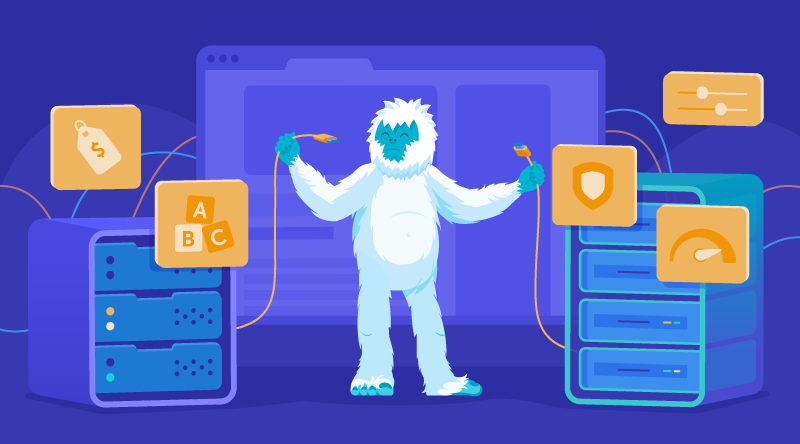
Types of web hosting explained: Shared, VPS, cloud & dedicated
When I built my first website, I barely knew the difference between a server and a domain name, let alone what type of web hosting I needed.
Overwhelmed by a flood of options and confusing terminology, I nearly gave up on the whole thing, accepting that all this techy stuff was beyond me.
But it wasn’t, and it isn’t for you either. All I needed was someone to help me understand the key concepts and what option was best for me.
So that’s what I’ll do in this article. I’ll take you through the main types of web hosting — shared, VPS, cloud, and dedicated — explaining how they work, and how to pick the right one for your situation.
Let’s start with the very basics.
What is web hosting?
Put simply, web hosting is like giving your website somewhere to live.
Your website is made up of files that do different things. Those files come together to form what users see when they visit it. For that to happen, they need to be stored somewhere.
When you buy a web hosting plan, you rent space on a server to store your website’s files. Your domain name points to that server, so when someone types your address into a browser, the server sends those files back to them as a complete website.
The type of web hosting you choose matters. It affects how many visitors your site can handle, how fast it loads, and how reliably it stays online.
How well your website performs determines how likely it is to appear in search results (thanks to something called Search Engine Optimization), so it’s important to pick a web hosting type that can handle your needs.
It’s time to go into a little more detail about the different types of web hosting.
Types of web hosting
The main types of web hosting are Shared, VPS, Cloud, and Dedicated. That may sound like meaningless jargon right now, but each works differently, with real consequences for how your site performs, how easily it can grow, and how much it costs.
We’ll explore this in detail below.
| Hosting Type | Best For | Price | Performance | Control |
| Shared | Beginners | Low | Basic | Low |
| VPS | Growing sites | Medium | Stable | Medium |
| Cloud | Scaling projects | Medium–High | High | Flexible |
| Dedicated | High-traffic / business | High | Maximum | Full |
Shared hosting
Shared hosting is when multiple websites are hosted on a single server. It’s simple and cost-effective, making it a good starting point for beginners.
Best for
- Blogs
- Small websites
- Beginners
Pros
- The most cost-effective and beginner-friendly web hosting option.
- Since the server is managed by your web hosting provider, there’s very little technical setup required. You can get started right away without any technical knowledge.
Cons
- Since resources like CPU and RAM are shared with other users, performance can be limited.
- Traffic spikes on one website can slow the performance of others on the same server.
- You have less control over how your website is managed and how your resources are allocated.
VPS hosting
A Virtual Private Server (VPS) is a partitioned section of a physical server, with its own dedicated resources isolated from other users on the same machine.
If shared hosting is like living with roommates, VPS hosting is like owning your own apartment within a larger building.
Best for
- Growing websites that need dedicated resources to handle traffic spikes.
- Small businesses that need to handle basic user data.
- Developers looking to spin up production environments for testing or hosting apps.
Pros
- You get isolated resources, so performance is not affected by other users on the server.
- Better value for money and lower upkeep than a dedicated physical server.
- You have more control: you can install custom software, reboot your server when needed, and scale resources without impacting other users on the machine.
Cons
- It comes with a higher price tag than Shared Hosting.
- To get the most out of it, you may need technical knowledge.
Cloud Hosting
Cloud Hosting is where your website’s files and resources are distributed across multiple servers, instead of living on a single machine.
Best for
- High-traffic sites
- Projects needing scalability
Pros
- Resources can be allocated across multiple servers rather than relying on a single point of failure, resulting in more reliable uptime.
- Because you’re not tied to a single server, it’s also easier to scale resources up and down without overhauling your entire workflow.
Cons
- While cloud computing can be cost-effective initially, long-term costs can add up. This is especially true if costs are tied to monthly usage, which may increase over time.
Dedicated hosting
A dedicated server is exactly what the name suggests: a physical server exclusively for your website.
Best for
- Large businesses
- High-traffic websites
- Enterprise projects
Pros
- No other websites share the server’s resources, so you get consistent performance regardless of traffic.
- You get full control over how your server is configured. You choose what OS, database software, and security layers your server uses.
- Since the server is used by you and you alone, there are fewer security risks than if you were sharing a server with other websites that could introduce vulnerabilities.
Cons
- More control and greater security come at a cost. Dedicated servers are among the most expensive hosting options.
- To really get the benefit of a dedicated server, you’d need to be comfortable with server configuration, software management, and security setup. Failing that, you’d need the budget to hire someone who is.
Key differences between hosting types
| Feature | Shared | VPS | Cloud | Dedicated |
| Performance | Low | Medium | High | Very High |
| Price | Low | Medium | Medium–High | High |
| Control | Low | Medium | Medium | Full |
| Scalability | Limited | Moderate | High | Limited |
| Ease of use | Easy | Moderate | Moderate | Advanced |

Which type of web hosting should you choose?
Choose shared hosting if:
- You’re a beginner
- You have a small website
- Your budget is limited
Choose VPS hosting if:
- Your traffic is growing
- You need better performance
Choose cloud hosting if:
- You expect traffic spikes
- You need scalability
Choose dedicated hosting if:
- You run a large business
- You need maximum performance and security
- You want more control
How to choose the right hosting type
Now that you’ve (hopefully) familiarised yourself with the different types of web hosting available to you, it’s time to determine which one is right for you.
To help guide your decisions, ask yourself the following questions.
How big is your website?
If it’s just for showcasing your work or blogging, shared hosting is a straightforward and affordable starting point.
If you’re taking bookings, running a webshop, or storing basic user data, VPS Hosting provides greater security and control without a restrictive price tag.
For large e-commerce and business websites that need to handle inventory, process payments, or store large databases of user data, Cloud Hosting is a good fit. It gives you the security you need, while also providing the flexibility to scale.
Dedicated hosting is reserved for high-traffic enterprises that need maximum performance and full server control.
What kind of traffic volume do you expect?
Shared hosting can handle small to moderate traffic loads, but since you’re sharing server resources with other websites, performance can lag during high traffic spikes.
If you expect your traffic to grow, it may be worth investing in a more flexible and performance-friendly option like VPS hosting.
If your traffic is unpredictable or you expect rapid growth, cloud hosting is worth considering. It scales easily without the cost or complexity of a dedicated server.
If you know you’ll have consistently high traffic and need reliable uptime, dedicated hosting is your best option.
What’s your budget?
When choosing a hosting provider, you’ll have to balance budget with technical needs.
If you’ve got a small budget, shared hosting is the obvious starting point. Bear in mind, however, that your needs may change as your business expands. In which case, it may be worth going with something like VPS or Cloud hosting that allows for better scaling.
At the same time, be careful not to pay for more than you actually need. Choosing a plan with more capacity than your site requires means paying for resources you’re not using.
What’s your technical skill level?
The amount of technical skill you possess will determine how much value you can get out of web hosting.
You don’t have to know much about tech to get started with shared hosting. VPS and Cloud hosting have a slightly steeper learning curve, but you don’t need deep technical knowledge to get going.
Dedicated hosting, however, does require meaningful technical knowledge to configure, since you’re fully in control of how your server is set up.
Time to get hosting
Hopefully, you now have a better idea of different hosting types than you did when you first landed on this page.
When it comes to the web, you never really stop learning. I never do, and it’s one of the things I love about this particular subject.
I hope I’ve provided you with a good starting point for building your online presence. Here’s a short recap:
- Start with Shared Hosting – Shared Hosting is an affordable and accessible starting point.
- Upgrade to VPS or Cloud as you grow – As your business grows and your needs expand, upgrade to VPS or Cloud Hosting to handle more traffic without compromising performance.
- Move to Dedicated only when your needs demand it – Dedicated Servers are really an advanced option for large enterprises with big resource demands. If you’re just starting out, this should be your go-to.
Frequently Asked Questions
What are the different types of web hosting?
The four main types of web hosting are shared, VPS, cloud, and dedicated hosting.
Shared hosting places multiple websites on a single server, sharing its resources.
VPS hosting divides a physical server into isolated virtual environments, each with its own dedicated resources.
Cloud hosting runs across a network of connected servers for maximum scalability, while dedicated hosting gives a single website exclusive use of an entire physical server.
Which type of web hosting is best for beginners?
Shared hosting is the best starting point for most beginners. It’s the most affordable option, requires no technical setup, and is straightforward to manage, even if you’ve never run a website before.
Most hosting providers include beginner-friendly tools like one-click installers and intuitive control panels, so you can get your site live without any specialized knowledge.
What is the difference between shared hosting and VPS hosting?
With shared hosting, your website shares a server’s resources, including CPU, RAM, and bandwidth, with multiple other websites.
VPS hosting gives you a virtualized portion of a server with resources allocated exclusively to you, so your performance isn’t affected by other users.
This makes VPS hosting more reliable and consistent, particularly during traffic spikes, though it comes at a higher price point and requires a little more technical confidence to manage.
Is VPS hosting better than shared hosting?
Not necessarily. It depends on where your website is in its growth. Shared hosting is perfectly capable for small websites, blogs, and anyone just starting out.
VPS hosting becomes the better choice when your traffic starts to grow, you need more consistent performance, or you want greater control over your server environment. If shared hosting is meeting your needs, there’s no reason to upgrade until it isn’t.