
Preparing your e-commerce site for Black Friday 2026
The holiday season is typically the most lucrative period for e-commerce businesses. With consumers eagerly awaiting great gift deals (and maybe a little something for themselves), Black Friday offers a golden opportunity to acquire new online customers.
In this quick guide, we’ll unveil valuable strategies to help you prepare your WordPress e-commerce site for a profitable Black Friday.
Define your Black Friday marketing strategy, goals, and objectives
Before diving into the tactics of your Black Friday strategy, establish clear goals and objectives. Defining your desired outcomes will guide your efforts and keep them aligned with your business objectives.

Boost revenue and average order value
For many e-commerce businesses, the primary goal during Black Friday sales is to drive revenue and increase profitability. Strategies may include offering discounts on select products, promoting high-margin items, or encouraging larger orders through bundles or free shipping thresholds.
Clear excess inventory
Black Friday presents an opportunity to clear excess or slow-moving inventory. By offering attractive discounts on these items, you can free up valuable storage space (or above-the-fold product page space) and generate cash flow to reinvest in new products. Smart inventory management software can simplify this process by helping you track stock levels and identify which products are ready for clearance.
Acquire new customers
The influx of shoppers during Black Friday provides an excellent opportunity to engage both new and existing customers. By offering compelling deals and delivering exceptional shopping experiences, you can attract and convert new customers who may become loyal patrons of your brand.
Now that we’ve discussed how to define your Black Friday sales goals, let’s look at specific ways to optimize your WordPress website and prepare for the gift-shopping season.
Check whether your hosting can support your sale
Hosting preparation starts with your store’s actual workload, not just an estimated visitor count. Product browsing, search, cart updates, and checkout place different demands on a WordPress site. A page-speed test alone won’t show how your store performs when many shoppers buy at once.
Review recent traffic, CPU and memory usage, slow pages, and checkout errors. Share your expected campaign traffic with your hosting provider and ask whether your current plan is suitable. If you need a load test, agree on a suitable test with your provider or developer.
How to check and adjust capacity in Namecheap Managed hosting for WordPress
Already using Namecheap hosting for WordPress? Open your subscription in the dashboard and check the Stats tab for resource usage and visitor information. Namecheap’s resource usage guide explains how to use these figures to identify recurring performance problems.
If you need more capacity, you have two options:
- Add CPU or RAM individually through the Add-ons section when you need more of a specific resource.
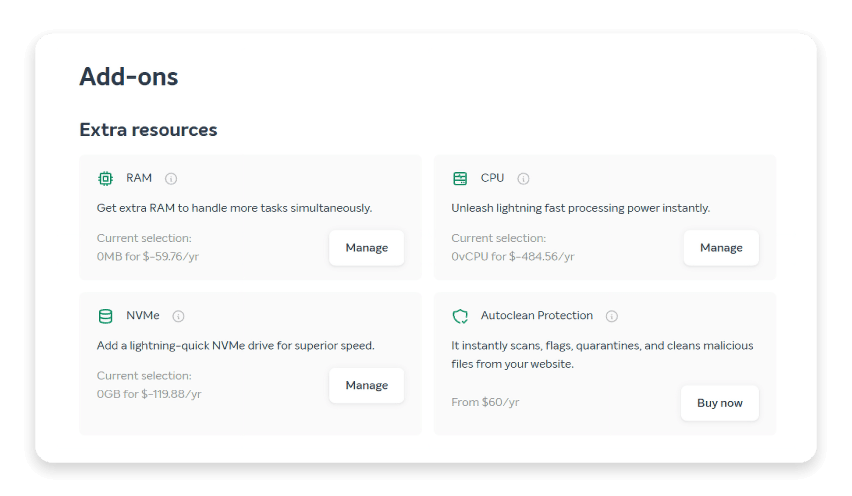
- Upgrade your EasyWP plan when a higher plan better suits your store’s growing needs.
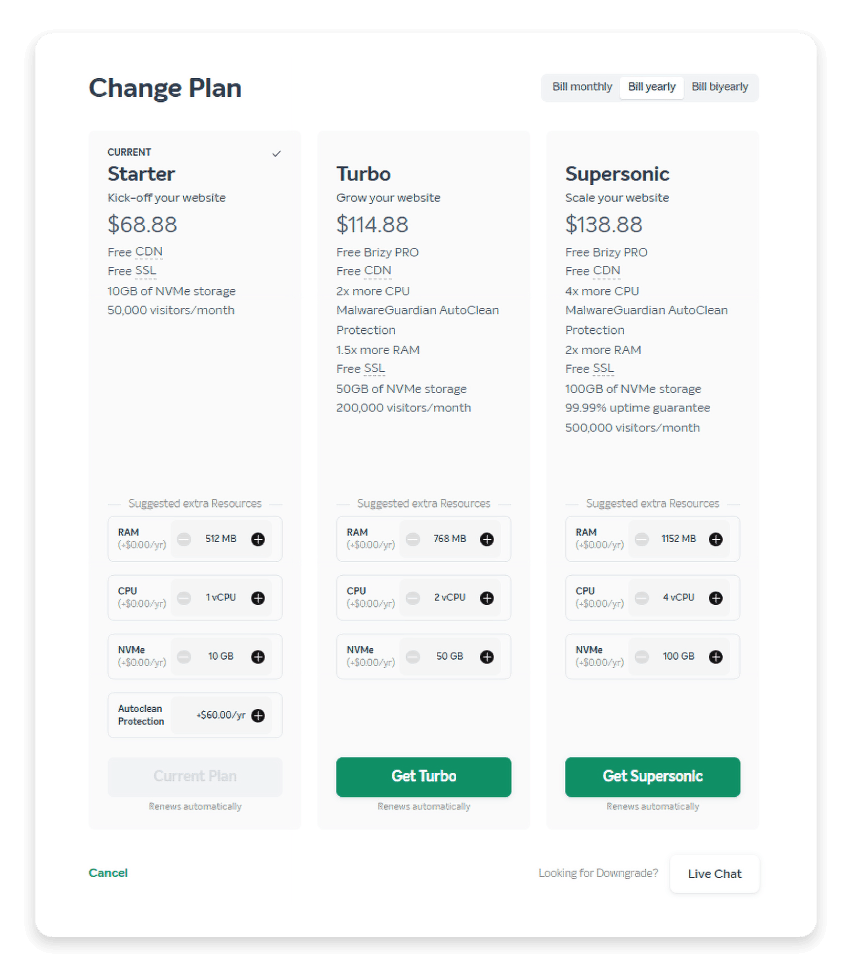
Both options are available directly from the dashboard, with resource increases taking effect without downtime or moving your website. This is useful when a campaign attracts more shoppers than expected, though checking capacity before launch gives you more time to address problems.
Besides, all Namecheap managed WordPress hosting plans include unlimited bandwidth, so increased browsing and product-image downloads won’t use up a fixed monthly transfer allowance. Your store still needs enough CPU and RAM to handle those visits and purchases.
Optimize your website for peak performance
With the anticipated surge in traffic during Black Friday, it’s crucial to ensure your e-commerce website is ready to maximize online sales. A slow or unresponsive site can frustrate visitors, lead to abandoned carts, and cost you sales. Reviewing an entire e-commerce site can feel overwhelming, so focus on these key areas.

Website speed optimization
Website speed is critical to a seamless shopping experience. Implement strategies such as:
- Page caching (many hosts, including Namecheap hosting for WordPress, handle this for you)
- Image optimization and compression
- Content delivery networks (CDNs)
- Lazy loading of large media files
- Code minification
These ensure that your site loads quickly and efficiently, even during periods of high traffic. To test your site for free, check out PageSpeed Insights, a tool from Google. With Namecheap’s EasyWP managed hosting for WordPress, you can check your basic CPU and RAM usage at a glance, then connect to Google’s tool for more information. To do this, log into your dashboard, choose your site, then go to the Stats Tab.
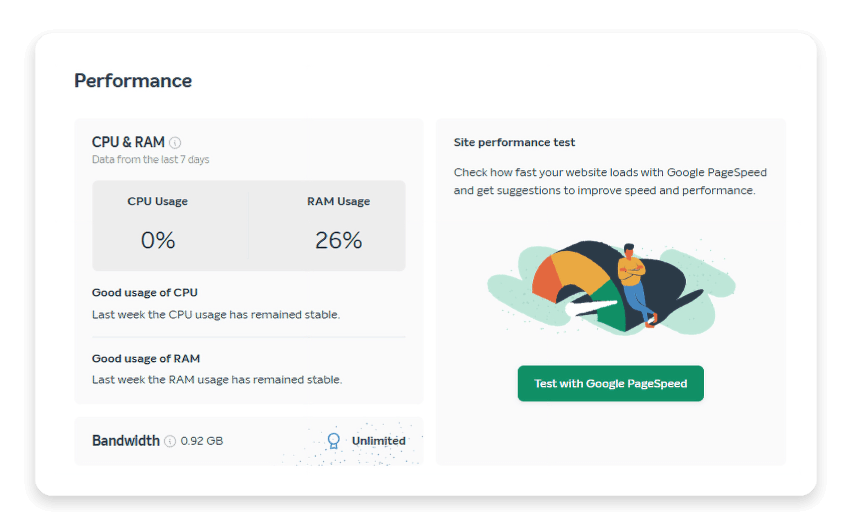
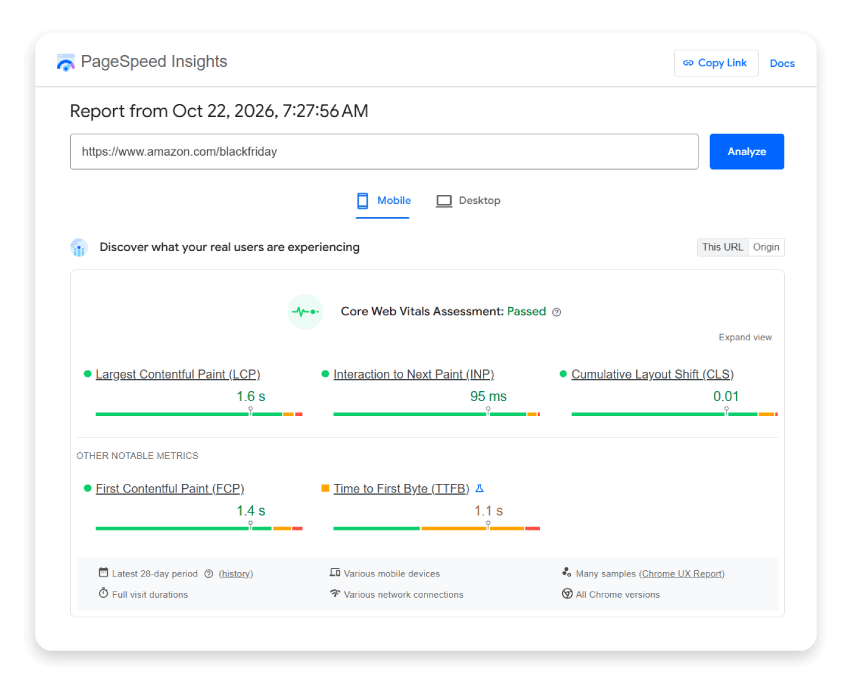
Use the green button to open up PageSpeed Insights in a new tab. Can you get your site to score better than Amazon?
Mobile-friendliness and responsive design
With more consumers shopping on mobile devices, ensure your e-commerce site is mobile-friendly and responsive. Conduct thorough testing across various devices and screen sizes to identify and address any usability issues or design inconsistencies.
Test the checkout process
A streamlined and user-friendly checkout process is crucial for reducing cart abandonment and increasing conversion rates. Identify and eliminate any friction points, such as unnecessary form fields, confusing navigation, or lengthy checkout processes.
Implement strong cybersecurity measures
Invest in robust cybersecurity measures to protect your e-commerce site, customer data, and financial transactions. This includes:
- Setting up 2FA
- Implementing SSL encryption
- Installing a firewall plugin
- Installing an intrusion detection and prevention plugin
A week or so before Black Friday, ensure all of these protections are up to date and working properly. Also, have all back-end site users update their passwords for a quick, last-minute security improvement.
Enhance the customer experience
Delivering an above-average customer experience is one of the best ways to stand out during the Black Friday frenzy. By creating a seamless and enjoyable shopping journey, you can increase customer satisfaction, foster brand loyalty, and drive repeat business.

Implement user-friendly navigation and site search
Ensure that your e-commerce site has logical navigation and a robust site search option to enhance the online shopping experience. This helps customers find what they need quickly, reducing frustration and increasing the likelihood of a purchase.
Optimize product pages and descriptions
Well-crafted product landing pages and descriptions can significantly impact customer decision-making. Invest time in creating compelling product descriptions that highlight key features, benefits, and unique selling points. WooCommerce users can take advantage of extensive product SEO features in the AIOSEO plugin. WPBeginner has a really good guide on using these two platforms together.
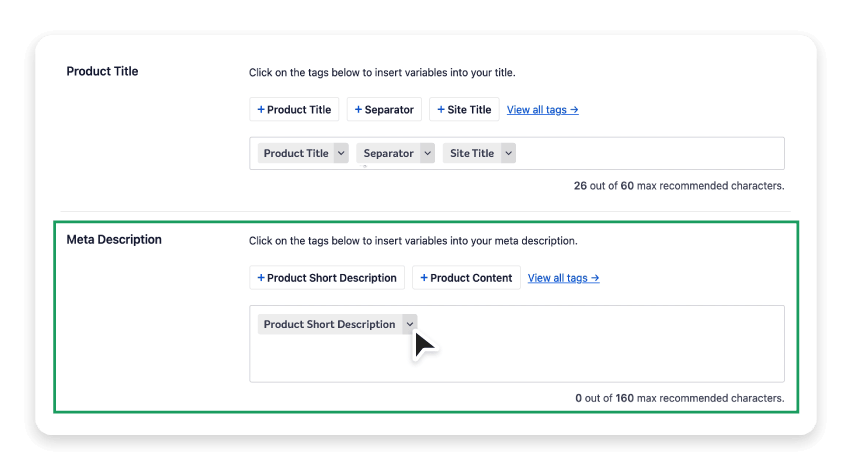
Also, add high-quality product images and videos to help customers fully understand your offerings.
Offer multiple payment options
Various payment options can enhance the customer experience and reduce cart abandonment rates. Consider accepting popular payment methods such as credit cards, digital wallets (e.g., Apple Pay, Google Pay), and buy now, pay later (BNPL) options to cater to diverse customer preferences.

Use AI tools to prepare faster
Black Friday prep comes down to a long to-do list and a short deadline. AI tools can take on the repetitive parts, like writing, sorting, and optimizing, so you can spend more time on strategy and stock. Here’s where they help most.
Refresh product descriptions
AI writing assistants can draft product descriptions, sale banners, and category page copy in minutes. Give the tool your product’s key features, materials, sizes, and who it’s for, and ask for a few versions in your brand voice. Then edit the best one. This makes it easy to refresh old listings before the sale or write copy for limited-time bundles. Always check every detail against the real product. AI can invent features, sizes, or claims that aren’t true.
Personalize product recommendations
AI-powered recommendation tools suggest related products, “frequently bought together” items, and upsells based on what each shopper browses and buys. Done well, this raises your average order value without extra effort on your part. Many WooCommerce recommendation plugins use AI, so check reviews, compatibility, and how each one affects page speed before you install it.
Optimize images and product SEO
AI tools can write alt text for product images, suggest meta titles and descriptions, and compress or resize images automatically. This helps your product pages load faster and rank better in search results, which matters even more when traffic peaks.
Whatever tools you choose, review AI-generated copy before it goes live, and install and test new plugins weeks before the sale, not the night before.
Leverage user-generated content and social proof
In the crowded e-commerce landscape, social proof and user-generated content can build trust and credibility and drive conversions. No matter how strong your marketing is, nothing converts customers into shoppers better than evidence that another real person loves the product.
Feature real customer reviews
Customer reviews provide valuable social proof and can significantly influence purchasing decisions. Add a review system such as RelateReviews or a Google review plugin on your product pages. Then actively encourage customers to share their experiences.
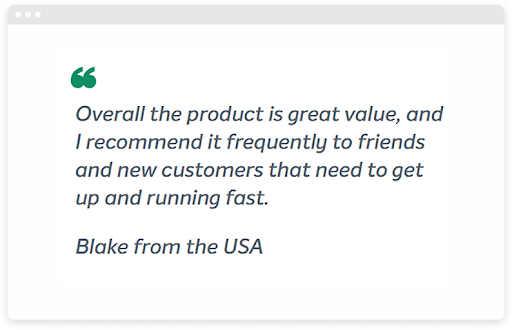
Showcase user-generated content
User-generated content, such as customer photos, videos, or testimonials, can build authenticity and inspire confidence in potential buyers. Incorporate a dedicated section on your website to showcase user-generated content, or leverage social media platforms to amplify and share this content with your audience.
Implement trust badges and security seals
Displaying trust badges, security seals, and certifications from reputable third-party organizations can help build confidence in your brand. You can find these badges through platforms like Yelp, the Better Business Bureau, Trustpilot, and even SSL certificate issuers. These graphics reassure customers that their transactions on your e-commerce site are safe and legitimate.
Give your store a stronger foundation before the rush
Your Black Friday plan should leave you ready to serve customers, not troubleshoot avoidable website problems. Start with the basics: a clear offer, useful product information, responsive pages, and a checkout you have tested yourself.
If you want less hosting upkeep on your to-do list, our managed hosting combines WordPress-focused performance tools, backups, and security with Namecheap support. Review the available plans and give yourself time to test your store before your campaign begins.
Find the right WordPress hosting plan for your store.
Frequently Asked Questions
When should I start preparing my store for Black Friday in 2026?
Start at least a month ahead. That gives you time to set goals, update product pages, and test new plugins well before the sale. Save the final security checks and password updates for about a week before Black Friday.
How does managed WordPress handle traffic spikes?
Namecheap managed WordPress runs each website in its own isolated container on Namecheap’s cloud platform, with dedicated CPU, RAM, NVMe storage, and caching. On shared hosting, a traffic spike on another site can slow yours down. On the Namecheap cloud, other sites can’t touch your resources. Your site processes and database also run on separate cloud services, which helps prevent bottlenecks when traffic surges.
How do I keep my online store secure during the holiday rush?
Turn on two-factor authentication, use SSL, and keep WordPress, your theme, and your plugins up to date. Have all back-end users update their passwords about a week before the sale. Managed hosting for WordPress adds more protection on every plan: a Web Application Firewall, automatic malware scanning and cleaning, automatic WordPress updates, HackGuardian file protection, and a free SSL certificate.