
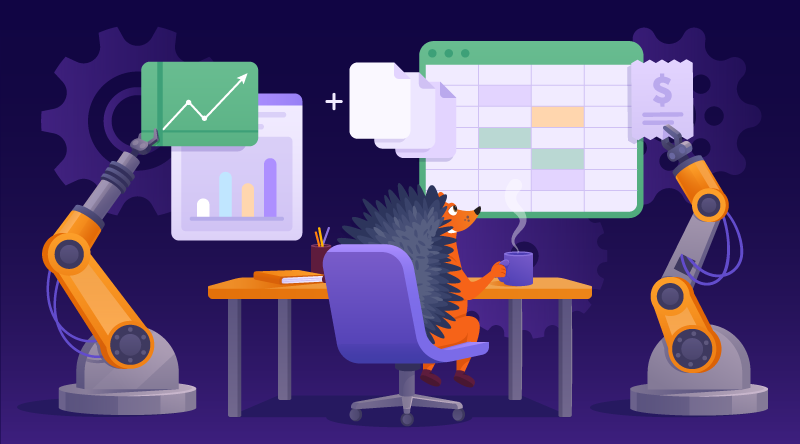
Can business automation prevent burnout?
It’s 2026, and no secret that automation can help small business owners.
But what is actually meant by automation, and how is it changing in this burgeoning AI era?
What do we mean by automation?
Let’s start by establishing what automation actually is.
In the most basic sense, automation is something that happens automatically without a human needing to do it. This can be anything from collating and storing data to generating charts, and everything in between.
Even something routine, like asking Google Analytics to present visitors to your site as a line graph, subdivided by source, is an automation. You didn’t manually collect the data or plot the graph. It all happened thanks to an automation. The point is, computers have already made automation so inherent and expected that we take it for granted and no longer think of it as automation at all.
But any automation requires some configuration, and with so much to choose from, how can you see the wood for the trees when automating your small business?
Let’s take a look at some examples of “classic” automation that can revolutionize your business, and then some more advanced (even futuristic) kinds. Because, in the Analytics example above, you are still a key participant in the automation: You go to analytics, and you ask it for the chart… But what if you no longer needed to?
Non-AI automations for businesses
Before we dive into the deep end of automation, let’s take a few tentative steps into the shallow end. And not just because it’s easier to understand. These long-established automations are every bit as vital, if not more so, to the day-to-day running of the business than the advanced ones we’ll get to in a minute.
Automations like these have been helping business owners save time for as long as computers have been around. APIs make most day-to-day automation possible.
APIs: The gateway to automation
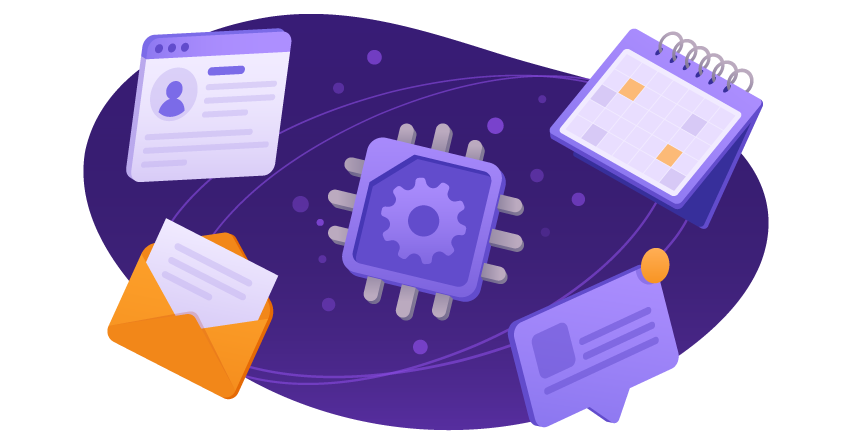
An API (Application Programming Interface) lets two unrelated applications communicate in a structured, predictable way. By standardizing how the two systems exchange data, an API lets them work together even if they were developed independently.
Without an API, you would theoretically need to manually transfer the relevant information between the two systems. With a correctly configured API, software does it automatically.
Postage brokers
Sometimes, my local parcel drop-off point asks if I’d like to print labels in-store, like it’s a benefit I’m missing out on.
But the truth is, my home system is way ahead of this thanks to automation. Printing them in the store would involve turning up with a bag of unmarked parcels and faffing about with addresses, and thus introducing a huge weakness into a reliable system.
At home, the backend of my store automatically sends all address info to the third-party carrier site via an API, and all I have to do is tweak any details (like weights or service provider), and then the label prints correctly with very minimal input from me. One label equals one parcel to be packed—and this itself adds a layer of redundancy, preventing me from shipping the same parcel twice (my own failsafe system).
All serious postage brokers these days have API integrations that connect with common store types (like WooCommerce). For UK readers, Parcel2go is an excellent example that also offers better prices if you send a lot, and adds a bonus top-up if you add £100 at once. A close comparison in the US is ParcelHero.
Link My Books & Xero
Accounting is another place where automation really shines. Link My Books receives sales figures directly from eBay (via an API), and breaks down the fairly opaque figures they provide into a salient invoice. It then sends this invoice to your preferred accounting software.
For me, the accounting software is Xero, which links easily to business banks and merchant accounts like Stripe and PayPal.
Mundane as all this may be, but compared to what accounting was like only a handful of years ago, these simple integrations make accounting the simplest it’s ever been. I can do most of the day-to-day stuff myself, and then just hand it to the accountant once a year. And it’s made possible by these companies’ investment in the same automation architecture.
Google ads and analytics
As we hinted at before, tracking your stats is a critical automation to set up. It gives you the full picture of what your site is doing.
Which raises another interesting point: You can’t escape a certain degree of automation when you operate online. There’s no physical alternative, like hanging a visitor counter above the door.
The good news is, though, plenty of free options exist. Google Analytics, of course, but also the free tier of Jetpack offers analytics from inside the WordPress admin panel, and Google Analytics is pretty easy to set up these days. There are ways to connect with a standard API link if you don’t feel comfortable copying and pasting the HTML into your site header (which can be a bit tricky depending on your theme and general setup).
Website health check
Automation tools can help check your website for errors. They can quickly find broken links, dead links, missing images, and even pages with duplicate titles (which can hamper SEO). Screaming Frog and Sitebulb can help with tasks like these.
Using Screaming Frog as the example, you simply download it, open it on your computer, and input your website to run it. It will scan up to 500 URLs for free, which, even if your site is much bigger, is a useful benchmark to see generally how it’s performing.
Inventory
It’s worth noting that automations don’t have to be pre-existing. Something we’ll look at more in a minute. For my business, I knew I needed a bespoke stock management system, and was lucky enough to have a business partner able to build it. But like everything so far on this list, it relies on (you guessed it) APIs.
The problem we faced was that selling in multiple places (eBay and direct through the website) meant that we kept selling items more than once. Adding to the problem was that we sell in multiple quantities (lots of two and three as well as one). We needed one source of truth that accurately tracked the two marketplaces, and also accounted for multiples in the same listing.
You may not be lucky enough to have your own coder, but that doesn’t mean you can’t achieve something similarly bespoke, which brings me nicely to the next form of automation.
Automation platforms
Automation platforms are designed as hubs through which you can design and manage more complex flows. If an API is a simple, purpose-built flow between two applications, automation platforms can link apps that aren’t natively designed to work together at all.
Zapier, as an example of an automation platform
Zapier is arguably the best-known automation platform. It takes native APIs, some that were never designed to work together, and makes that possible.
Automation platforms really shine (and add another vital layer compared to a traditional API) because they can trigger multiple things in different applications from a single action. For example:
- You receive an order on WooCommerce.
- Zapier automatically creates an invoice in Xero.
- It adds the customer to a Mailchimp list.
- It sends you a Slack notification.
- It updates a Google Sheet with the invoice.
- You hire a new employee.
- It adds a new employee to your HR system.
- Zapier creates a company email account in your system.
- It invites them to Slack.
- It adds them to the company calendar.
- It creates an onboarding checklist in Docs.
In these examples, several tasks that would otherwise be manual and take your precious time are already taken care of at the moment of the first trigger.
AI enhancements to automation platforms
Like most other businesses, automation platforms are finding ways to integrate AI to make their offering more robust.
Zapier, for example, has rolled out AI features that give Zaps more autonomy and intelligence. For example, rather than merely triggering an email, Zapier’s AI could now understand the context of it, and draft a reply (and even send it) entirely by automation.
Integrating AIs into Zaps creates a never-ending list of possibilities, but this video gives you an idea of the scale.
Standalone AI Automations
As we discussed in our recent AI tools blog, full AI automations are now available, too. While the integrations we’ve examined so far mainly focus on data transfer and even extrapolation, these are more about plugging AI into your site more actively.
Customer service
Previously, we covered the benefits of full customer service chatbots. You give them a framework for operation, and they essentially take the first level of customer service off your hands (escalating things to you only when certain criteria are met).
But this all-in approach can be overkill, and frankly, isn’t always necessary. Applications like our very own Private Email now include generative AI as standard, allowing you to draft replies in no time.
Here, the tools are generally two-fold. AI summary, reducing a lengthy email into a few key lines, and AI generation, to actually draft the messages.
Usually, these kinds of AI assistants can match the tone required, redraft if you’re unhappy, and best of all, they’re free and waiting for you exactly where you will receive and read your emails. No need to navigate to a third-party AI and explain everything.
Tools like this are popping up everywhere, and while it might be pushing it to call them automations in the traditional sense, they are automatic, and they can massively reduce your workload.
E-commerce
I’m using e-commerce here for argument’s sake, but this works for almost any website under the sun. Generative AI can be harnessed in myriad ways to save you time and is increasingly integrated into WordPress plugins.
Whether it’s product images, write-ups, SEO descriptions, or whatever you need, they’re very capable, and often incredibly sophisticated in terms of adaptability.
All’s to say, have a look. Plugins you already use may have recently gained AI functionality that could save you time and give you an edge in terms of the sheer amount you can achieve in a day. It goes without saying that you should check what it’s made for you, though.
Automations you may not be aware of
There’s another side to AI automations, and you don’t actually have to do anything to benefit.
It’s the stuff implemented by the third parties your website relies on. For example, if you route your website traffic through Cloudflare, its security platform uses artificial intelligence and machine learning to detect unusual traffic patterns, identify malicious bots, and help protect against threats like DDoS attacks.
Similarly, if you use Google Ads, machine learning and automated bidding models help determine where and when your adverts are shown, who sees them, and how your budget is spent to maximize performance.
While automations like this aren’t ones you control, they’re still working for you behind the scenes.
OpenClaw and the future of automation
I’m only going to touch on this briefly, as a nod to the future more than anything. While I know some are already utilizing it, the technology still feels like it’s in its infancy, and there are definite teething problems (to put it mildly).
If Zapier automates the process between two or more applications, OpenClaw automates the computer itself, and therefore, the user. It can essentially understand and interact with human interfaces, meaning that (in a very simplistic sense) it can use the Internet as you would.
Of course, that’s just scratching the surface. Once it has access to your systems (which is still a fairly risky step at the time of writing), it can complete incredibly complex workflows. Compare this one, for example, to the Zapier ones:
- Your customer orders a dropship product.
- Open claw navigates to your supplier portals.
- Finds the best price from all your suppliers.
- Places the order.
- Downloads the invoice into the correct folder for accounting.
- Uploads it to Xero.
- Sends you an email detailing everything it’s done.
To me, reading that list back is mind-boggling. Knowing it’s already possible (in theory) for an AI agent to have that level of control. But perhaps it shouldn’t be. It was always inevitable that AI would be released from its confines and be allowed to engage with the world directly.
But don’t get excited just yet. Unlike other automations in this blog, OpenClaw isn’t exactly plug-and-play. And training it up isn’t even its biggest drawback. We’ve all interacted with AI enough to know it can mess up with confidence unseen in humans. Now imagine that same confident idiocy with access to your business minutiae and bank account. Also, is it just me, or did they name it to sound a little bit like a sci-fi villain from the off?
But let’s leave OpenClaw on the shelf for now, sharpening its talons, and return to the idea of printing my parcel labels in store instead of at home.
While we can all agree it’s impractical for me, from the opposite perspective, it’s a convenient perk for someone only posting one parcel. They don’t need a label printer or to set up a complicated brokerage account they’ll use once in a blue moon.
Automation is a necessary tool for business growth
If there’s one reason to pay attention to automation now, it’s that things change as you scale up. You don’t want to be the person fumbling with the (metaphorical) in-store label printer (which is out of service once a fortnight) when you have 20 parcels.
The last thing you want is for more success to feel like a kick in the teeth. And one way to get ahead of that is by looking into automations from the off. The great thing is, if none of the options I’ve mentioned here can work for your business, then don’t worry. Something will. Zapier alone has thousands of possibilities (probably more).
If you’ve been on the fence about going into business and have been waiting for a sign, check out our Back to Business Sale. With up to 95% off essentials, it’s the perfect time to take that first step.





Great piece. I think there’s another layer to the burnout question. Increased productivity is creating more for the human to consider. For Burnout, more is not the direction you want to go so there is a paradoxical outcome with automation. I’m not convinced it helps with burnout.