It is possible to set up an A record from Namecheap's side for domains that are using our BasicDNS, PremiumDNS, or FreeDNS.
If your domain name is pointed to any of these DNS systems, perform the following actions to create an A (address) record for it:
1. Sign into your Namecheap account (The Sign In option is available in the header of the page).
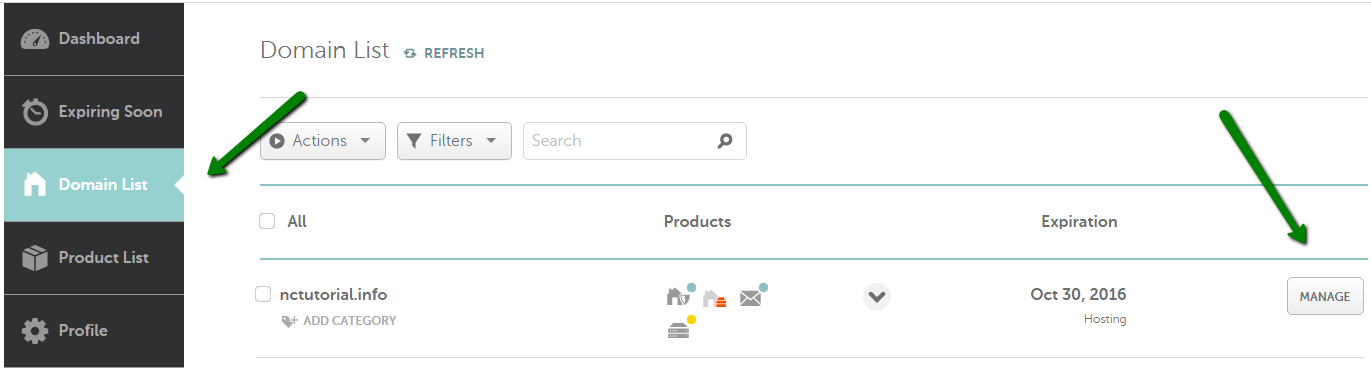
2. Select Domain List from the left sidebar and click on the Manage button next to your domain:
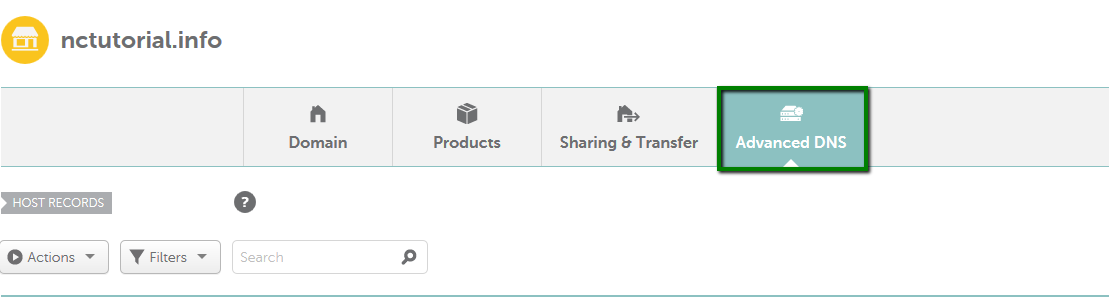
3. Navigate to the Advanced DNS tab at the top of the page:
4. Find the Host records section and click on the Add New Record button (not able to edit Host Records?):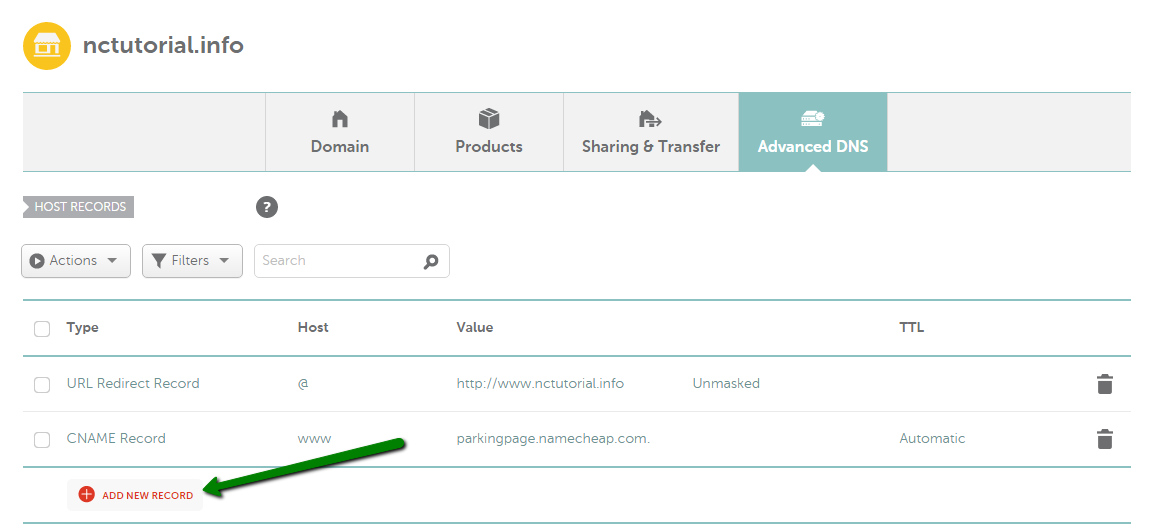
5. Select A Record for Type and enter the Host you would like to point to an IP address:
@ - used to point a root domain (yourdomain.tld) to the IP address:
A Record | @ | 11.22.33.44
www - is selected when it is needed to point www.yourdomain.tld to the IP address:
A Record | www | 11.22.33.44
[any host] - you can insert any name of a subdomain that should be pointed to the IP address:
A Record | blog | 11.22.33.44
* - a wildcard record that matches requests for non-existent subdomains:
A Record | * | 11.22.33.44
6. Once all details are inserted, save them using the Save changes green icon.
Normally, it takes 30 minutes for newly created records to take effect.
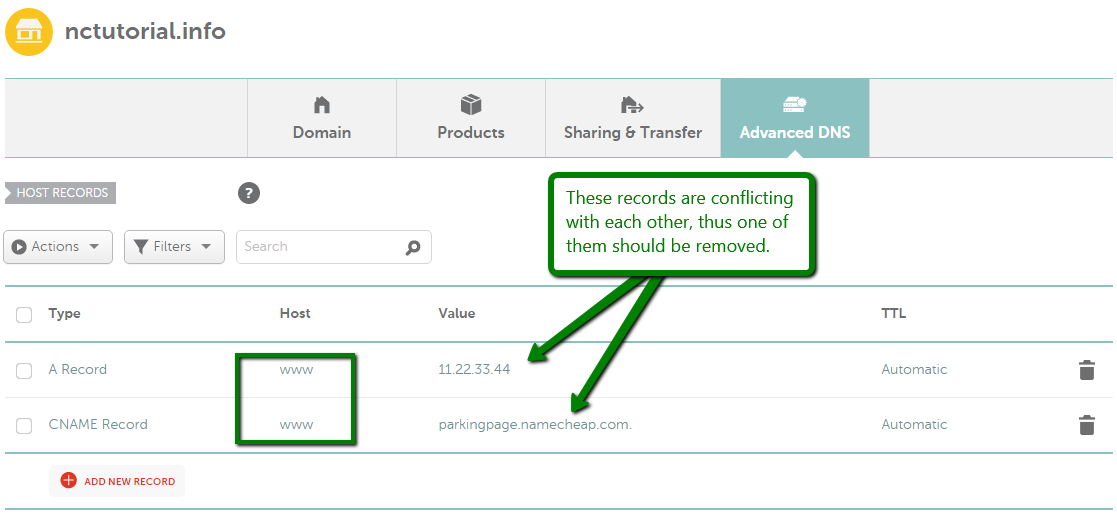
Once you've done so, you might also want to make sure that there are no conflicting records set for the same host and remove them if there are any. The records you need to check may be of Unmasked/Masked/Permanent Redirect, A, or CNAME record types.
Here is the example of conflicting records:
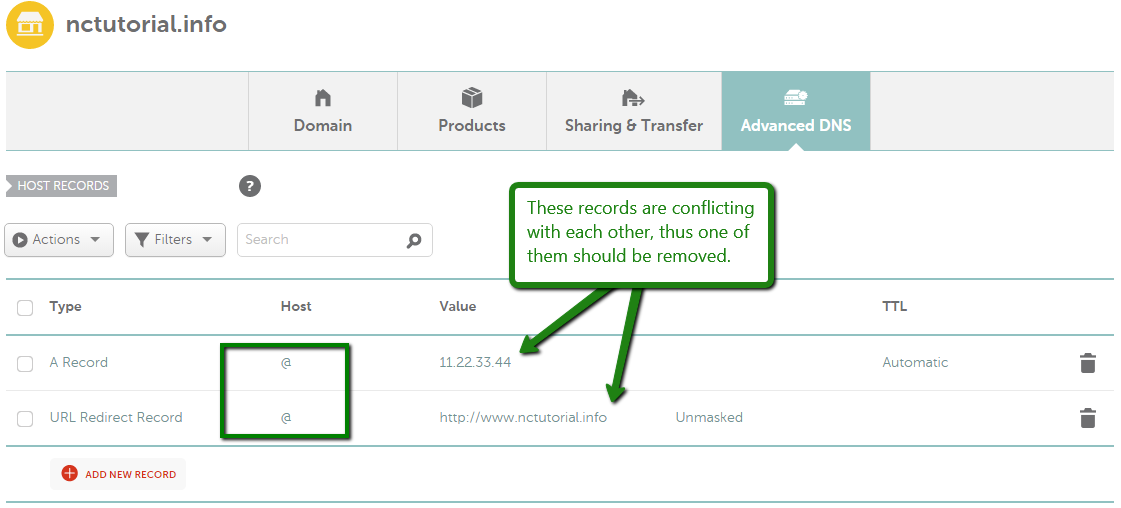
and
That's it!
If you have any questions, feel free to contact our Support Team.
