| Subtotal | $0.00 |
USD
U.S. DollarEuroBritish PoundCanadian DollarsAustralian DollarsIndian RupeesChina Yuan RMBMore Info →

| Subtotal | $0.00 |
Our free Email Forwarding feature allows you to create personalized email addresses for a domain and forward emails to other email addresses of your choice. This service is available for all domains pointed to our BasicDNS, PremiumDNS or FreeDNS systems.
This is an email forwarding service that does not allow creating fully-featured email accounts and sending outgoing emails from address@yourdomain.tld since it’s a virtual email address. You can consider our Private Email service, which allows creating such an email account.
NOTE: It is not possible to use free Email Forwarding with Private Email simultaneously.
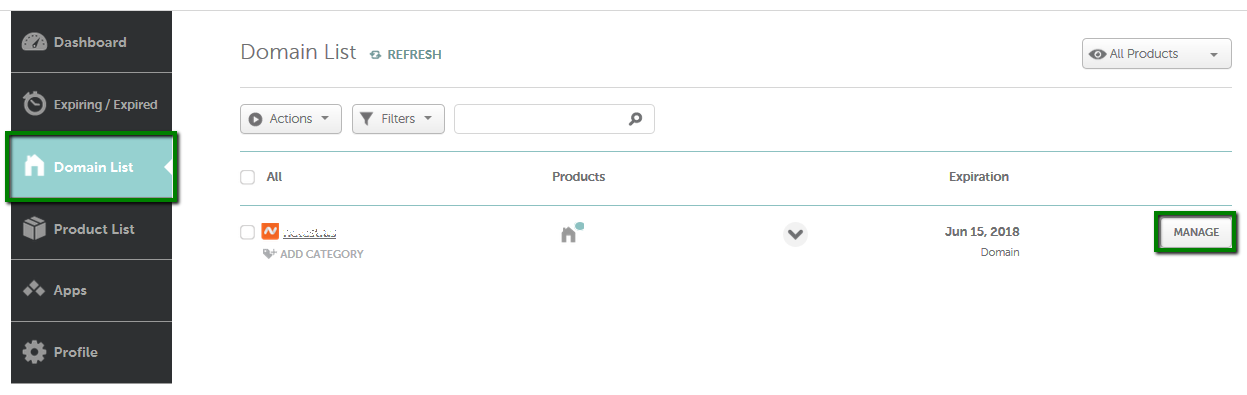

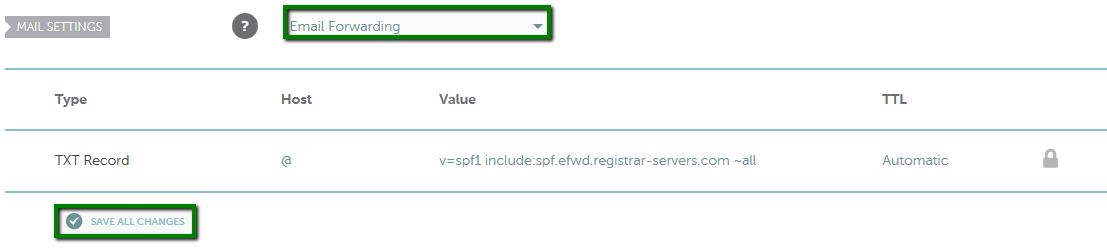
Once MX records are set, you need to create your forwarding email addresses.
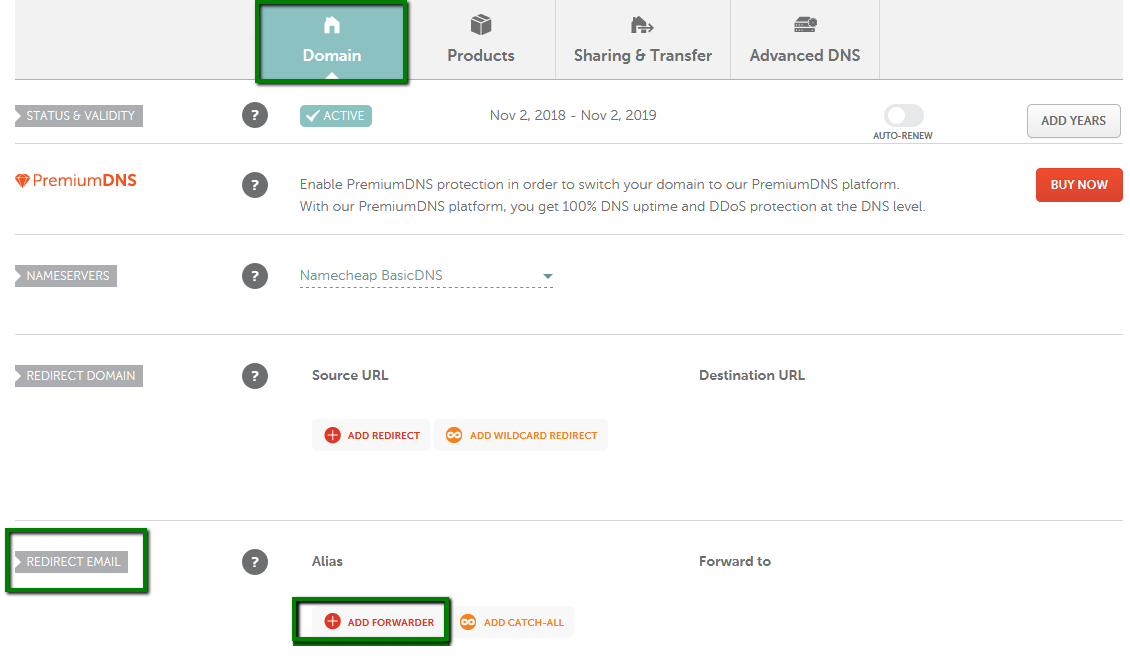
5. Choose the Domain tab at the top of the page and scroll down to the Redirect Email section. Click on the Add Forwarder button:
6. Fill in both the Alias and Forward to fields with the corresponding information and click on the checkmark icon to save the changes. Alias is the name of your forwarding mailbox. For example, if you are forwarding all emails sent to admin@yourdomain.tld to your destination email address, you will need to put admin in the Alias field (it is also possible to forward the same alias to several email addresses).
Make sure that the Forward to field contains your full destination email address as well.
Please allow about an hour for the newly created mailboxes to be
completely set up on the forwarding mail server. Once your settings
have been activated, you will be able to test your mail service.
NOTE: Delivery of test emails sent from the same email address that is set as Forwarded to will most likely fail. Thus, please use another email address when testing the email forwarding service.
That's it!
If you have any questions, feel free to contact our Support Team.
Need help? We're always here for you.